About this app
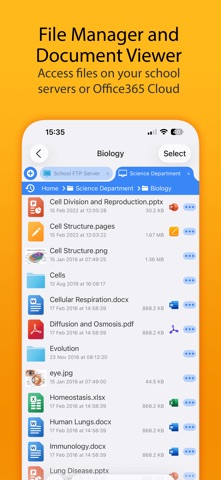
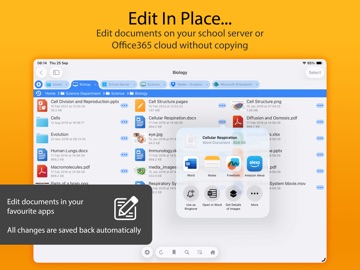
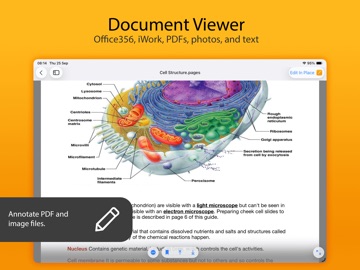
FileBrowser for Education is an extended version of FileBrowser with enhanced security and control features for schools, colleges and universities. == Bulk purchase discount available via an Apple School Manager account == With FileBrowser for Education, users can benefit from direct and secure file access to servers, workstations and other storage devices on the network. No additional configuration of IT systems is necessary. Office Apps Integration - Use the document picker in MS Office apps to open files from network file servers, edit them and automatically save back. Core Features - Access file servers and iCloud storage - View documents and optionally store them for offline viewing - Show a video, PowerPoint or Keynote direct from the server - Copy and move between any type of storage, from single files to whole directories - Integrates with other apps allowing you to edit, save and share files - Integrates with your existing infrastructure, including Active Directory - Integrates with iOS data protection, utilising hardware-based encryption to secure content - VPN on-demand support for third-party VPN clients - Supports Microsoft Distributed File System (DFS) - Requires no additional software on file servers MDM Integration - Centralised distribution of FileBrowser configuration settings - Enforced security lockdown - Confirm to your Mobile Security Policies - Prevent users from changing local settings - Selectively override any local configuration setting - Distribute file server connection details - Control whether offline viewing/storage is permitted - Control whether content can be emailed as attachments - ‘Kiosk’ mode for highly directed read-only file access FileBrowser uses the SMB1, SMB2 & SMB3 network access protocols (also known as CIFS or Windows File Sharing). This enables access to Macs, PCs, NAS drives, & Windows File Servers. It can also connect to the following types of server: - Microsoft SharePoint - Microsoft OneDrive for Business (as part of Office365) - WebDAV servers - FTP servers - SFTP servers - Dropbox cloud storage For fast friendly support please email support@stratospherix.com. Please note that we are only able to provide support in English.
Latest release
What’s New
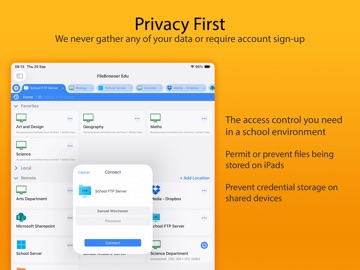
New Features * Markdown documents in local folders can now load images. * Advanced Search options are now easier to configure. * Bookmarks can now be used for video file playback positions. * Video files can now be launched via a Bookmark URL. * Added option to hide video file info panel. * Improved performance deleting folders on WebDAV connections. * Improved wording of in-app messages and help text. * Image file properties can now be copied to the clipboard. Bug Fixes * Fixed Access Denied error when browsing OneDrive. * Fixed Markup menu option not always appearing. * Fixed slideshow stopping when displaying playback controls. * Fixed hang when sending items on USB drives to the trash. * Fixed temporary files not being purged promptly. Thank you for helping to make our apps better. If you would like to rate or leave a review on the App Store, we look forward to hearing your feedback. Unlike other file manager apps, we never gather any of your data. We also don't require you to create an account or register an email address with us.
Audience growth
Ratings growth
Baseline captured. Growth appears after the crawler observes a changed rating count.
Momentum comes from crawler snapshots for the tracked storefront. “Viral growth signal” means unusually fast recent rating gains; it is an indicator, not download data.
Price tracking
Price intelligence
First snapshot captured. The trend line starts after the next crawler price observation.
- First observed Sep 2, 2026 · 9:06 PM $9.99
Screenshots