About this app
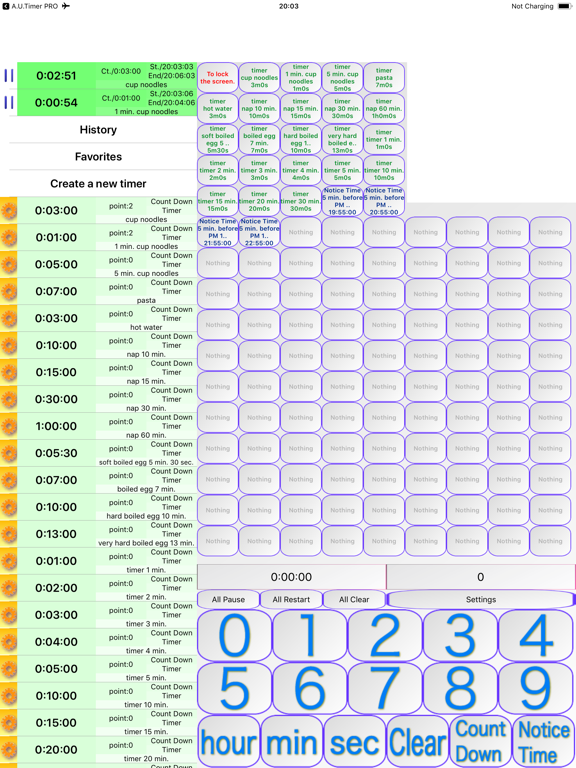
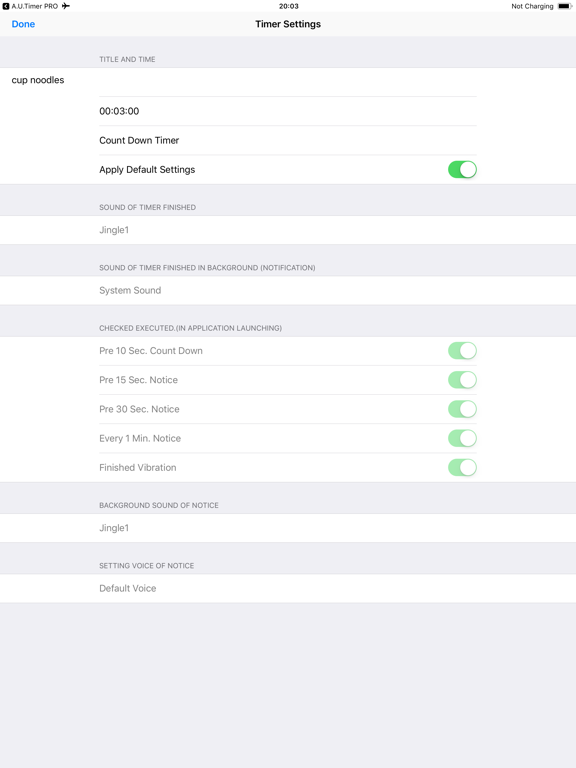
Voice Timer! Spoken updates every minute. Even when you are not looking at the screen, this app tells you how much time is left. Announcement Useful Timer is available on iPhone, iPod touch, and iPad. You can choose the free version or the paid, ad-free PRO version. Announcement Useful Timer can count down preset items and times, as well as your own custom items and times. It announces the remaining item and time every minute, gives a 10-second countdown before completion, and plays your selected music or sound when time is up. Use it as a cup noodle timer, kitchen timer, nap timer, and more. You can run multiple timers at the same time and quickly set them from the always-visible number input at the bottom of the screen. Shortcut buttons are available on the right (long-press to assign different items). Items are shown in a list, frequently used timers are ranked to the top, and you can start timers from history or favorites. Swipe left on a list item to delete it. You can cancel an active countdown from the top of the list. When end music is playing, you can stop it by swiping, tapping the stop button, or shaking your device. Each list item has a settings button on the left where you can configure timer values, labels, voice/music settings, and notification behavior. If you prefer, you can disable the every-minute voice announcements in settings. Pause, resume, and clear buttons are also available for all timers. You can use two timer types: - Countdown timer (set a duration) - Time-of-day timer (notify at the next specified time) *Voice announcements are available only while the app is in the foreground.* To prevent accidental taps in the foreground, a lock button is provided at the top-left of the right shortcut area. In the background, only the end notification is available. Note: Due to iOS API behavior, sounds may play even when Silent Mode is on (voice speech will not play). --- App Features --- ・Quick and easy timer setup using the buttons at the bottom of the main screen. ・Set timers simply by selecting from a list. ・Run multiple timers in parallel. ・Set labels and receive voice notifications. (Every minute, plus 30/15/10 seconds before completion. These can be toggled in settings.) ・Use your own music from iPhone/iPod/iPad for alerts and end sounds. (Foreground only) ・Set music to start from a specific point (for example, the chorus). ・Use two timer types: countdown and specific end time. ・Assign frequently used timers to the shortcut buttons on the right. ・Adjust voice pitch and speech rate. --- Free Version vs PRO Version --- This app is available in both Free and PRO (paid) versions. The PRO version is ad-free. The area used for ads in the Free version is replaced with more list and button space, providing a more comfortable experience. There is no difference in timer functionality.
Latest release
What’s New
• Improved the stability of spoken timer announcements. • Fixed an issue that could cause a crash when confirmation dialogs were displayed in Settings. • Fixed minor issues.
Audience growth
Ratings growth
Baseline captured. Growth appears after the crawler observes a changed rating count.
Momentum comes from crawler snapshots for the tracked storefront. “Viral growth signal” means unusually fast recent rating gains; it is an indicator, not download data.
Price tracking
Price intelligence
First snapshot captured. The trend line starts after the next crawler price observation.
- First observed Sep 22, 2026 · 8:53 PM Free
Screenshots