About this app
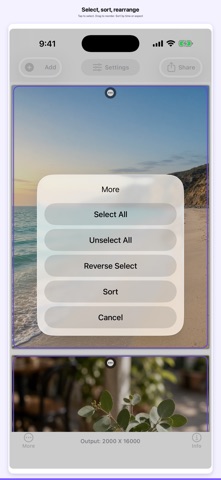
Long Image Maker turns a stack of photos or short clips into one long image, a grid, or a video collage. Add from Photos, Files, or the camera. The camera can take photo and video and saves the original to Photos. Arrange tiles into a vertical tower or a multi-column grid. Tap to select. Drag to reorder. Sort by time or aspect ratio. Stamp shot time, location, file name, or your own text. Crop a tile. Save the collage, share it, export selected photos, or create a PDF. Scanner mode lightens page backgrounds so printouts use less ink. Settings for width, columns, corners, margin, shadow, background pattern, and watermarks can be saved as named presets and restored later. HOW IT WORKS 1. Tap Add. Choose System Album, Camera, or File Folder. 2. Stack photos into a long image, or set columns in Settings. 3. Optional: turn on timestamps, add a watermark, or crop a tile. 4. Tap Share. Make an image collage, a video collage, or output photos / PDF. WHAT YOU CAN MAKE • A vertical long image for Messages, Mail, or social posts • A multi-column photo grid • A video collage from clips you add • Individual photos with new text, or a multi-page PDF • Origin color or scanner-style pages GESTURES • Tap to select or deselect • Drag selected tiles onto another tile to insert them • Long-press a tile to crop (one image or the current selection) SETTINGS PRESETS Save the current collage style. The default name is collage width, column count, and the time you tapped Save. Restore or edit that list later. LITE AND FULL The app is free to start. Ads may appear. Full Pack (In-App Purchase) removes ads and the output watermark, and unlocks high-quality photo and PDF output. Remove Advertisement and Individually Outputting High Quality Pack are also sold separately.
Latest release
What’s New
new features: -add photo and video to collage by Camera in real time -available to save/restore/edit settings -new UI bug fixes: -video frame drop on outputting video-collage improvements: -speed up video-collage encoding
Audience growth
Ratings growth
Baseline captured. Growth appears after the crawler observes a changed rating count.
Momentum comes from crawler snapshots for the tracked storefront. “Viral growth signal” means unusually fast recent rating gains; it is an indicator, not download data.
Price tracking
Price intelligence
- First observed Aug 20, 2026 · 3:58 AM Free
Screenshots