About this app
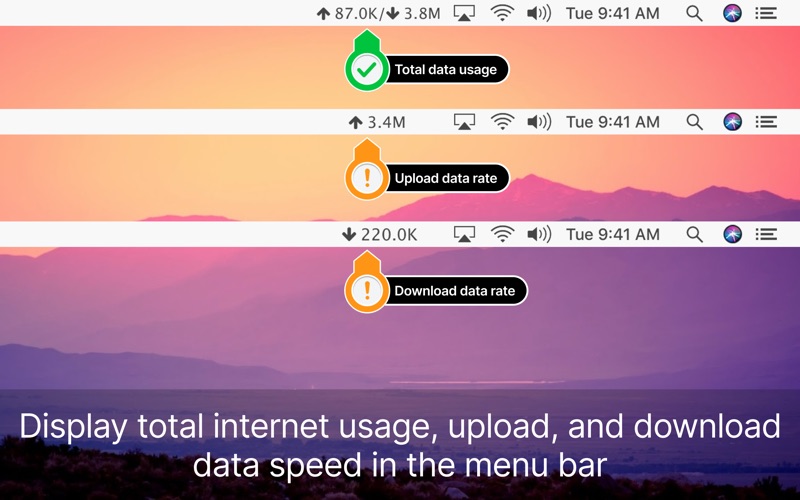
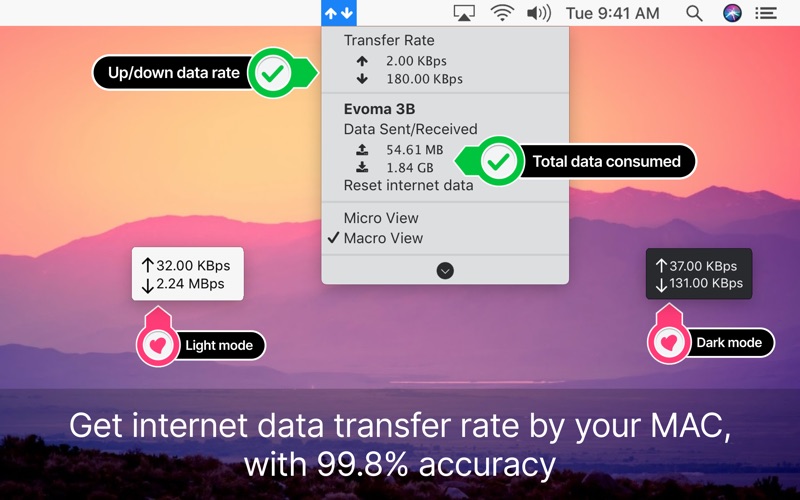
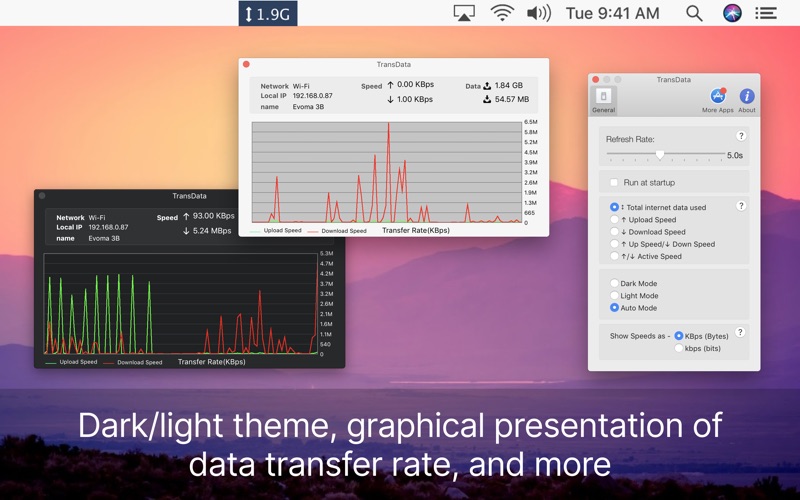
Track Internet Usage & Network Activity—Right from Your Mac’s Menu Bar. TransData is a lightweight and powerful menu bar utility that gives you real-time insight into your Mac’s network usage. Whether you're on a data-limited connection or just curious about your traffic, TransData keeps you informed without being intrusive. No more guessing. Stay in control of your upload and download activity with a clean, always-visible indicator. ■ TransData is the perfect solution to control and supervise your network usage. ≈ Features: ≈ ◉ Shows network data transfer rate in Kbps/Mbps with up/down speed on your menu bar. ◉ Display the total data used by Mac from the start of the session. ◉ Monitor and reset Internet data usage. ◉ Displays connected Wi-Fi network in the menu. ◉ A Beautiful widget or graph that shows upload & download internet speed per second. ◉ Display refresh rate can be set in preferences. ◉ Internet data can be displayed in two formats either KB/s(Bytes) or kb/s(bits). ◉ Dark/Light mode for all macOS versions. Ideal For — Mac users with metered or limited internet plans — Remote workers tracking network performance — Developers and power users watching background traffic — Anyone who wants better insight into Mac data usage TransData works with MacBook Air(M1), MacBook Pro(M1), iMac, MacBook, MacPro, Mac Mini. ≈ Basics: ≈ ◎ Up/Down Speed: Upload/Download internet transfer rate per second (Kbps/Mbps) ◎ Up/Down Data: Total Upload & Download internet data used over a period of time. ◎ Micro View: Floating widget on the desktop with an Up/Down internet data transfer rate. Why Choose TransData? ◎ Macro View: Graph which shows internet data transfer rate in detail. Why Choose TransData? Most Mac apps don’t show your real-time data usage. TransData does it seamlessly and beautifully—no clutter, no bloat. Just clear, reliable network stats. ≈ Menubar Preferences: ≈ ◎ Total Internet data used: Display the total of data sent and received. ◎ Upload speed: Display only upload internet speed. ◎ Download Speed: Display only download internet speed. ◎ Up & Down Speed: Show both upload and download speed. ◎ Active Speed: Shows upload or download, whichever is highest. Download TransData now and take control of your Mac’s internet usage. We'd love to answer your questions or just hear what you think about TransData. Find us online at support@appyogi.com Privacy Policy: https://appyogi.com/legal/privacy
Latest release
What’s New
— Enhanced compatibility with macOS Sonoma — New usage chart view with daily breakdown — Improved data accuracy and sync stability — Bug fixes and UI performance optimizations
Audience growth
Ratings growth
Baseline captured. Growth appears after the crawler observes a changed rating count.
Momentum comes from crawler snapshots for the tracked storefront. “Viral growth signal” means unusually fast recent rating gains; it is an indicator, not download data.
Price tracking
Price intelligence
First snapshot captured. The trend line starts after the next crawler price observation.
- First observed Sep 14, 2026 · 8:59 AM $9.99
Screenshots