About this app
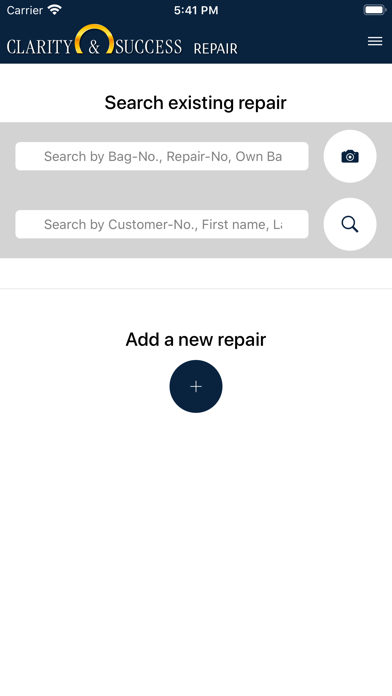
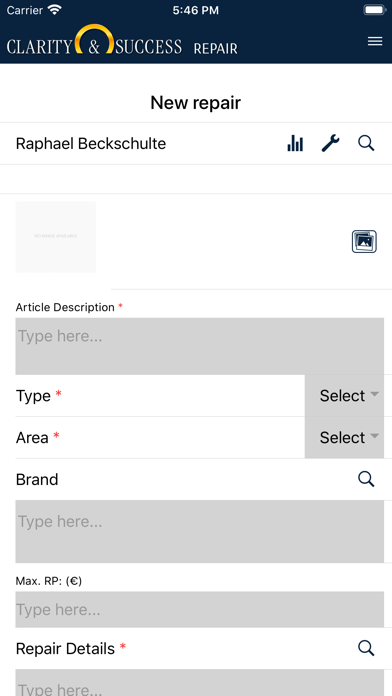
Jewellers can use the app to capture repairs including images, print receipts for the repair (order form and collect note) and query the status of previously entered repairs by searching for customer data or repair numbers. During the creation of a new repair, it is possible to register a new customer, to store the repair directly on it or to load existing customer data from the database of the jeweller management software and to have new customers sign the privacy policy. In order to make the documentation of the repair as accurate as possible, several images can be taken with the integrated camera of the terminal and stored for repair. As soon as a new repair has been created, the customer can sign the repair order directly with their finger on the touch screen. The app can be easily connected to the existing merchandise management system of CLARITY & SUCCESS by communicating with the main computer via Wi-Fi or over the Internet. Once the app has been successfully connected via the web service, new repairs can be made as well as the status of existing orders can be queried. An employee needs to unlock the permission to use the app. When this is done, he can log in as a user with his username and password. The three main functions of the repair app: 1. Capture a repair a. Photo of the repair or selection of a piece of jewellery from sales history b. Create or select customers c. Customer's signature for the order and privacy d. Print repair order and collect note 2. Information Desk Information about the repair status by fast scanning of the barcode. 3. Status Repair is set to "ready to collect" status The connection between the terminal and the web service installed on a local PC in the respective shop is first of all protected by the encryption of the WiFi or the structurally given security of the LAN network connection. If you want to work over the internet, you need the installation and the purchase of an SSL certificate. (We are happy to assist you in choosing this certificate). The cost of such a certificate is borne by the jeweller himself.
Latest release
What’s New
- Bug fix - use unique image name in storage
Audience growth
Ratings growth
Baseline captured. Growth appears after the crawler observes a changed rating count.
Momentum comes from crawler snapshots for the tracked storefront. “Viral growth signal” means unusually fast recent rating gains; it is an indicator, not download data.
Price tracking
Price intelligence
First snapshot captured. The trend line starts after the next crawler price observation.
- First observed Sep 1, 2026 · 1:38 PM Free
Screenshots