About this app
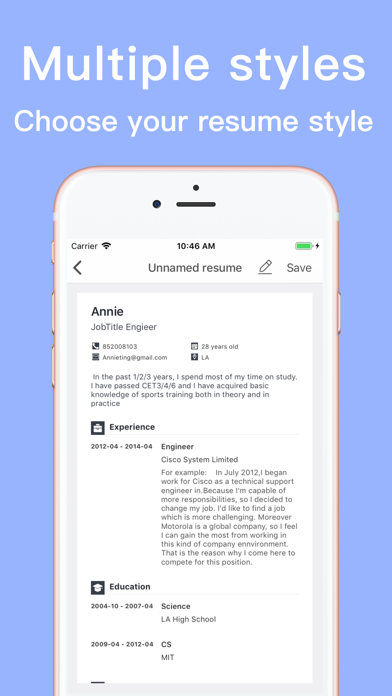
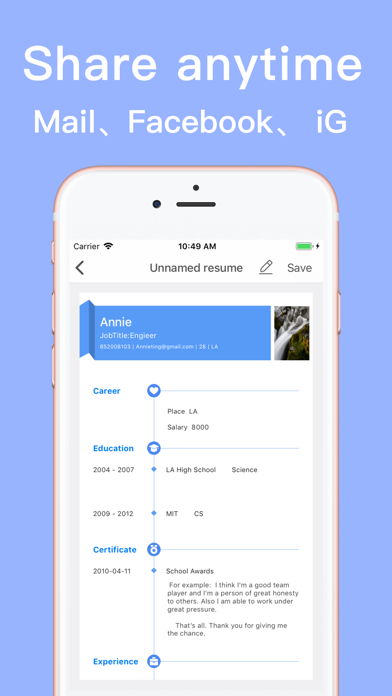
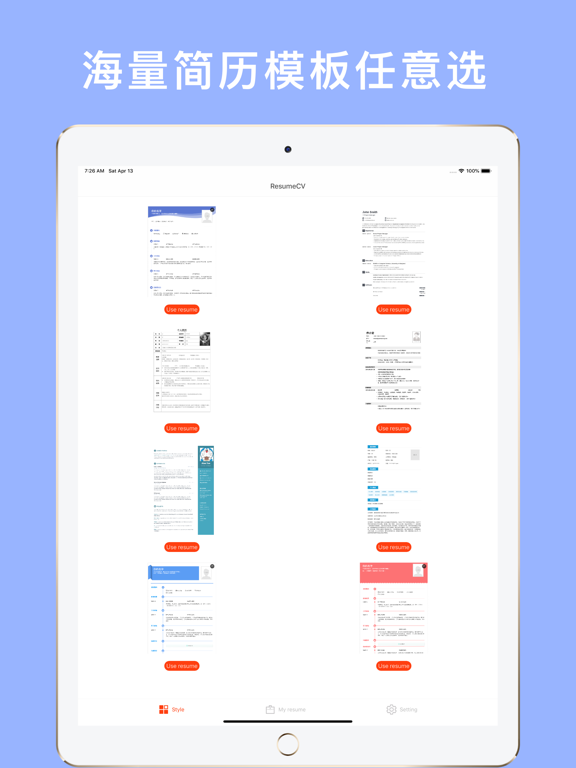
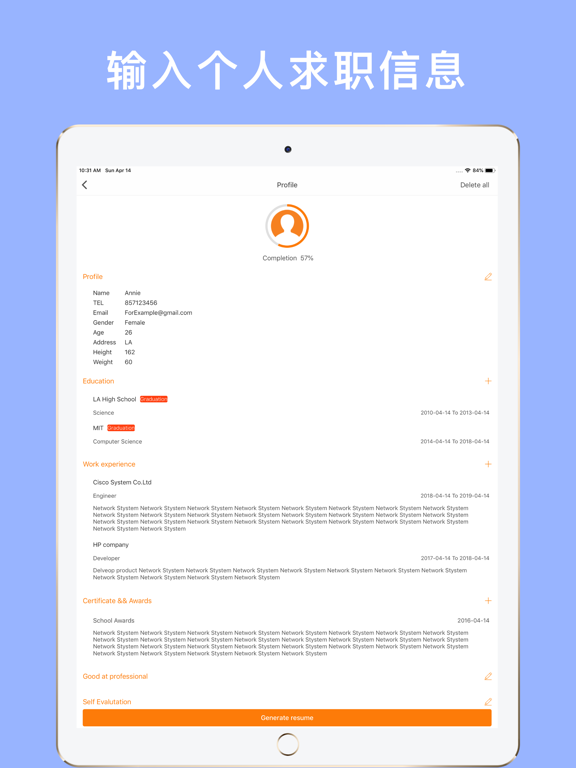
ResumeCV app - Awesome resume builder ,Take the first step of the interview with a professional resume All job resume templates are carefully selected. We don't need web shells. All of them use native effects. It is definitely the best, the most beautiful resume generation tool. You can generate resumes in just three steps: 1, choose your resume style - we have a variety of resume styles built in, support English, Japanese resume, adapt to the language version of the phone settings, choose a style you like, click to use, enter the second step 2, fill in the information - enter your personal information, educational background, work experience, good skills and job intent,It is our greatest responsibility to protect your data security, all input information is localized cache storage, not connected to the network, Feel free to delete your information. 3, generate resume - after the information is completed, click Generate Resume to generate the resume you want, support the export of the resume (mail, Facebook,Twitter, Line), as long as you install this software on your phone, all can be exported to the software Excellent resume is a stepping stone to find a job. We strive to make your job search more smooth. If you have a good experience, please introduce it to your friends. Subscription Information: - Weekly subscription plan (starting price is $0.99, weekly payment), monthly subscription plan (starting price is $2.99, monthly payment), optional subscription plans and prices may vary. - After confirming purchase, payment will be made through your iTunes account - By default, subscriptions expire automatically after the expiration of the original plan (year/month/week subscription plan) at the same price and same cycle. If you need to cancel your subscription, you need to cancel at least 24 hours before the current subscription plan expires. - By default, the trial period expires automatically and becomes a paid subscription. If you need to cancel your subscription, you need to cancel at least 24 hours in advance when the trial period expires. Subscription plans are automatically renewed from trial to paid subscription. If you need to cancel your subscription, you need to cancel at least 24 hours before the current subscription plan expires. - You can cancel the subscription plan at any time, or cancel the free trial. This can be done through the subscription settings of your personal iTunes account (find settings on your device, click iTunes and App Store> Apple ID> View Apple ID> enter password> subscribe > Manage Application Subscriptions> Click the Unsubscribe button at the bottom of the page). There is no automatic renewal, please cancel the trial service or subscription plan at least 24 hours before the free trial or subscription plan expires. For more information, please see https://support.apple.com/en-us/ht202039 - If the user purchased the subscription app before the trial period is over, the remaining unused trial period duration will be automatically cleared.
Latest release
What’s New
Beautify the interface and update the App Store introduction
Audience growth
Ratings growth
Baseline captured. Growth appears after the crawler observes a changed rating count.
Momentum comes from crawler snapshots for the tracked storefront. “Viral growth signal” means unusually fast recent rating gains; it is an indicator, not download data.
Price tracking
Price intelligence
First snapshot captured. The trend line starts after the next crawler price observation.
- First observed Sep 1, 2026 · 3:35 AM Free
Screenshots