About this app
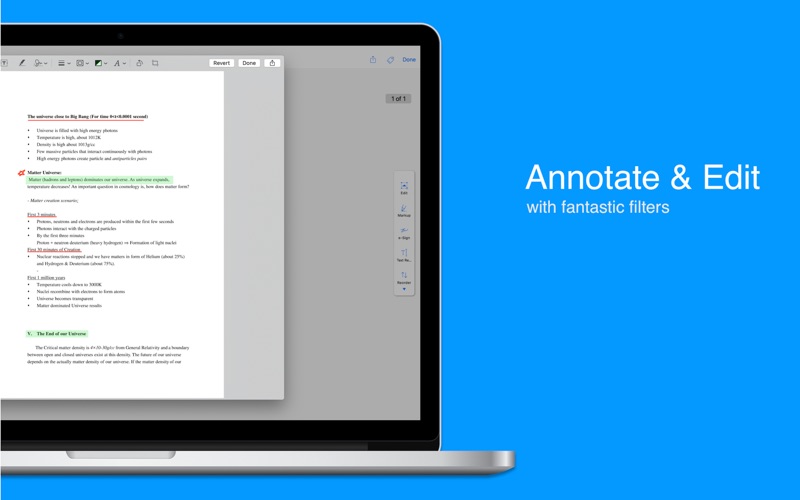
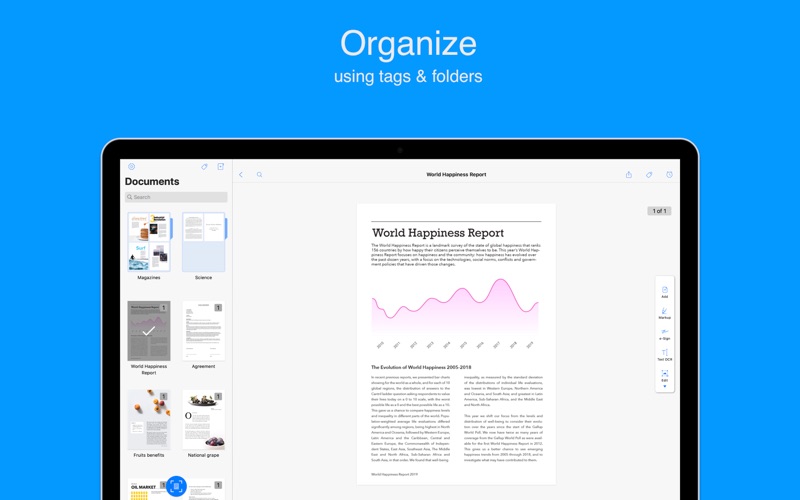
Zoho Scanner, the most powerful document scanning app, is now available for Mac. Precisely scan paper documents, business cards, receipts, and more using the camera on your iPhone or iPad. Share your documents as either images or PDFs. Use OCR to convert documents to text. SCAN Use your iPhone or iPad to scan any document and let it appear instantly on the Zoho Scanner Mac app. Scan anything of your choice, ranging from business cards, receipts to multi-page documents. Zoho Scanner smartly identifies the paper document's edges and adds a crisp scan of the document. You can also add document images from your photo gallery and Finder. ANNOTATE AND FILTER Crop, edit, rotate and annotate your scanned docs. Re-order pages within a document and choose from a variety of filters to apply for the scanned documents. E-SIGNATURE Verify your identity by adding your signature, powered by Zoho Sign. Digitally sign documents yourself and email the signed documents to others. OCR AND TRANSLATE Zoho Scanner uses Optical Character Recognition (OCR) to convert documents to text. OCR enables you to search for a document based on its content, so you can always find what you need. You can even translate the extracted content into 15 different languages in the app. SHARE AND AUTOMATE Set Zoho Scanner to automatically upload your scanned documents to other apps, so you can share and use them. Zoho Scanner integrates with Google Drive, Dropbox, OneDrive, Zoho WorkDrive, Zoho Expense, and more. Easily share scanned docs via email and other apps as well. Create workflows to automate tasks and save time. ORGANIZE Stay organized by creating folders, setting reminders, and adding tags to categorize and find documents easily. Zoho Scanner intelligently recommends tags for your scanned docs based on their contents. SYNC ACROSS DEVICES Connect your iCloud account with Zoho Scanner to sync your documents across all your Apple devices. Scan a document on a device and see it appear on your other device automatically. You can also use iCloud Drive to back up and restore your documents securely. ONLY ON MAC - Initiate a scan, share documents, set reminders, and more, using Touch Bar on MacBook Pro devices. - Use Sidecar to add your iPad as a secondary monitor. - Zoho Scanner supports accessibility through Voice Control. - The Finder extension lets you quickly add document images from Finder. - Zoho Scanner automatically go dark for you when you set your Mac to Dark Mode. - Quickly find and access your documents using Spotlight. PREMIUM Zoho Scanner's premium price levels are: • Premium Monthly — 1.99 USD • Premium Yearly — 19.99 USD Sign up for a year's subscription and get 50% off!! • Payment will be charged to your iTunes account after confirmation of purchase. • Account will be charged for renewal within 24 hours before the end of the current subscription period. • Subscriptions may be managed by the user and auto-renewal may be turned off by going to the user's Account Settings after the purchase. • Any unused portion of a free trial period will be forfeited when the user purchases a subscription to that publication. Privacy - zoho.com/privacy.html Terms & Conditions - zoho.com/terms.html If you have any questions, please reach out to us at support@zohoscanner.com Additional information about the app is available at docscanner.app
Latest release
What’s New
What's New in Zoho Scanner for iOS 27, iPadOS 27 & macOS Golden Gate - Extract key details, generate summaries, and ask questions from any scanned document, all processed on your device without leaving the app. - Scanner now recognizes document types on its own, reads through documents and business cards, and pulls out the information that matters, no matter how complex the layout. - Spot something on your screen worth capturing? Bring it straight into Scanner without switching apps or losing context. - Use Siri to find a scanned document by voice, or instantly pull contact information from a business card scan. - Receipts, invoices, and business cards are now searchable from your device's system-wide search, without opening Scanner. - Recent scans and document insights like pending invoices are now visible directly from your Home Screen. - Scanner adapts to any screen size across iPhone, iPad, and Mac without any layout trade-offs.
Audience growth
Ratings growth
Baseline captured. Growth appears after the crawler observes a changed rating count.
Momentum comes from crawler snapshots for the tracked storefront. “Viral growth signal” means unusually fast recent rating gains; it is an indicator, not download data.
Price tracking
Price intelligence
First snapshot captured. The trend line starts after the next crawler price observation.
- First observed Sep 20, 2026 · 4:31 AM Free
Screenshots