About this app
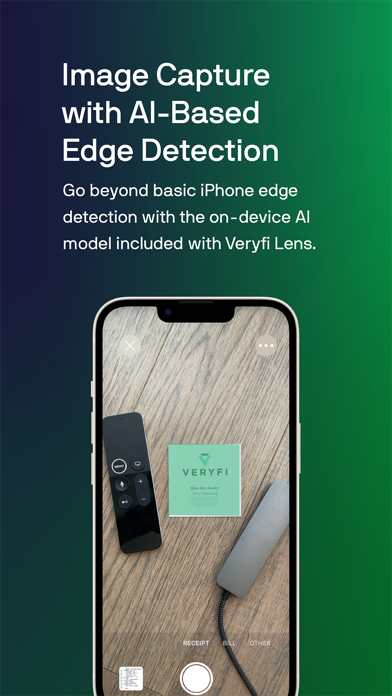
# Veryfi Lens – AI Document Capture **Veryfi Lens™ turns your iPhone or iPad into a professional-grade document scanner.** Capture receipts, invoices, IDs, insurance cards, and dozens of other document types with AI-powered edge detection, then see the structured data extracted in seconds. ## What the App Does Point your camera at a document and Veryfi Lens handles the hard stuff — bad lighting, tricky angles, messy backgrounds, meter-long receipts — so you get crystal-clear scans anywhere, anytime, even offline. Switch between capture modes, try different document types, and review the extracted results right on your device. ## Supported Document Types **Financial & Business** - Receipts & Invoices - Long Receipts (multi-page stitching) - Bank Statements - Checks - Credit Cards - Business Cards - W-2s - W-9s **Identity & Healthcare** - Driver Licenses - Passports - Insurance Cards - Prescription Labels **Other** - Nutrition Facts - Shipping Labels - Barcodes - OCR (any document) - Any Documents ## Key Features **AI-Powered Edge & Document Detection** – On-device machine vision that goes beyond the built-in camera, working even handheld or on irregular surfaces. **Long Receipt Stitching** – A single downward pan captures even meter-long receipts as one seamless, high-resolution image. **90+ Structured Data Fields** – Line items, SKUs, totals, dates, vendor names, and more extracted in seconds. **Customizable Capture** – Adjust capture modes, detection behavior, and processing options to match how you scan. **Offline Mode** – Capture and queue documents without an internet connection. **Automated Fraud Detection** – Instantly flags manipulated, doctored, or duplicate documents. **Global Coverage** – Supports 85 currencies and 39 languages out of the box. **SOC 2 Type II Certified** – No humans in the loop. Advanced encryption keeps your data private and secure. Learn more at **veryfi.com/document-capture**
Latest release
What’s New
- Added Scan to PDF feature - Small fixes and improvements
Audience growth
Ratings growth
Baseline captured. Growth appears after the crawler observes a changed rating count.
Momentum comes from crawler snapshots for the tracked storefront. “Viral growth signal” means unusually fast recent rating gains; it is an indicator, not download data.
Price tracking
Price intelligence
First snapshot captured. The trend line starts after the next crawler price observation.
- First observed Aug 21, 2026 · 1:38 AM Free
Screenshots