About this app
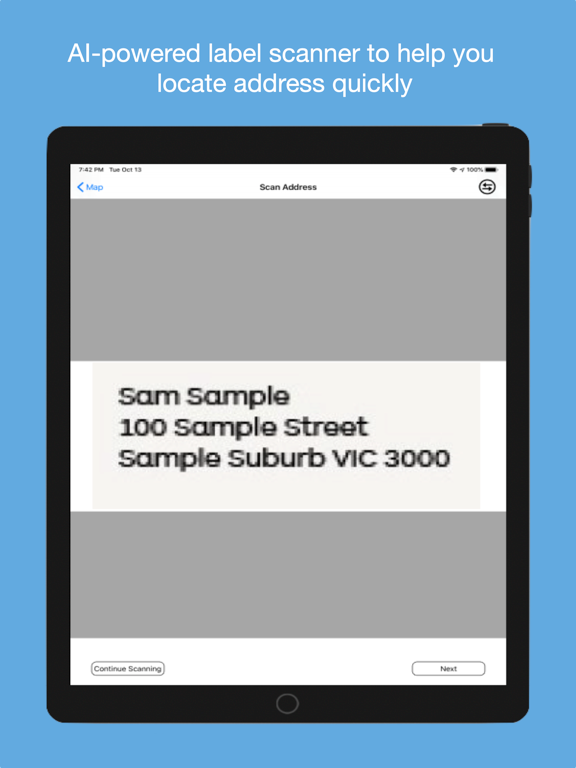
RouteMate is the delivery route planner built for drivers, couriers, and field teams. Add your stops, optimise your route, and navigate — all from one app. PLAN YOUR ROUTE - Add stops manually, from your address book, or import via CSV - Set stop priority (Normal, High, Urgent) and delivery time windows - Track parcel counts and delivery status for every stop - Save frequently visited addresses to your address book for quick access OPTIMISE & NAVIGATE - One-tap route optimisation finds the fastest order for your stops - View your optimised route on the map with turn-by-turn polyline - Navigate to any stop using Apple Maps, Google Maps, or Waze - Supports driving, walking, bicycling, and transit modes - Avoid tolls with a single toggle AI LABEL SCANNER - Point your camera at any shipping label - AI extracts the delivery address instantly - No manual typing — just scan and go TRACK YOUR PROGRESS - Mark stops as Pending or Done as you deliver - Proximity check-in alerts when you're near a stop - View delivery history and monthly reports - Track total destinations, distance, and parcels delivered STAY ORGANISED - Create multiple routes for different days or areas - Search and filter your routes and addresses - Syncs across iPhone and web at app.routemate.app FLEXIBLE PLANS - Free plan with core features to get started - Solo and Pro plans for power users with AI scanning, CSV import, and more stops - Team plan for businesses with multiple drivers Built for Australian couriers and delivery drivers. Works anywhere in the world.
Latest release
What’s New
New app icon and refreshed brand mark. You can now delete your account and all of its data from Settings. New route optimiser: routes now solve on the server, with support for delivery time windows, vehicle capacity, and routes over 25 stops. Falls back to the previous optimiser if the solver is unreachable. Run sheet: a day-by-day schedule of your stops under Reports, filterable by date range and driver. Fixes optimisation failing on walking and cycling routes when "avoid tolls" was switched on.
Audience growth
Ratings growth
Baseline captured. Growth appears after the crawler observes a changed rating count.
Momentum comes from crawler snapshots for the tracked storefront. “Viral growth signal” means unusually fast recent rating gains; it is an indicator, not download data.
Price tracking
Price intelligence
First snapshot captured. The trend line starts after the next crawler price observation.
- First observed Aug 25, 2026 · 11:24 AM Free
Screenshots