About this app
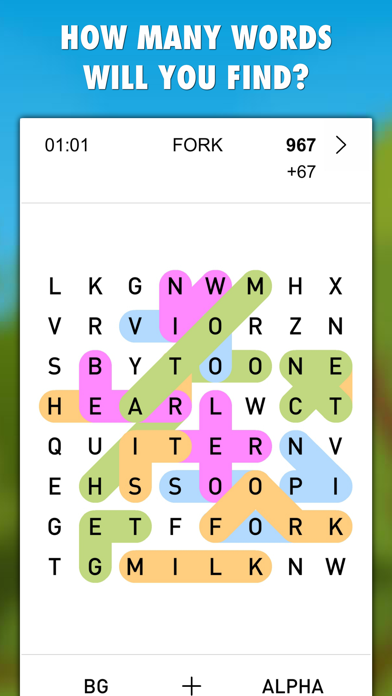
Experience pure word search fun with Words Everywhere, an original word search game for all ages! Stop playing by the rules of restricted word lists! Words Everywhere unleashes a library of half a million words directly into a high-energy letter grid. How many words can you find? Connect letters in any direction, you can even change paths mid-word to uncover as many combinations as your vocabulary allows! Master the challenge with 3 modes and 3 skill levels! Enjoy the freedom to play anytime, anywhere without an internet connection or wi-fi! Crush your personal bests or compete with players worldwide to claim your spot in the Global TOP20! KEY FEATURES: • Original word search game with 3 game modes and 3 difficulties • Play on the go – perfect for offline entertainment without internet or wi-fi. • Find the game mode that fits your mood: Quick, Challenge, Relax. • Expand your vocabulary with a vast English word database. • Prove your word skills on global leaderboards. • Download and start for free. • Experience a unique challenge with each new game. • Enjoy customization options like setting your own background color, adjusting text size, and applying alpha transparency for better readability. HOW TO PLAY: Swipe across adjacent letters—horizontally, vertically, or diagonally—and combine the directions to form words. Valid words earn you points. GAME MODES: • Quick Mode: A timed sprint to find as many words as possible. • Challenge Mode: Race against the clock, earning bonuses for speed and longer words. • Relax Mode: Take your time and enjoy a stress-free word search experience. DIFFICULTY LEVELS: • Easy: Focus on finding shorter words (3+ letters). • Medium: Increase the challenge with a minimum word length of 4 letters. • Hard: Put your skills to the test by finding words of 5 or more letters. Download Words Everywhere today and get ready for a fresh and engaging word search adventure every time you play!
Latest release
What’s New
* Support of iOS 26 * A new game icon * Minor UI changes and better performance
Audience growth
Ratings growth
Baseline captured. Growth appears after the crawler observes a changed rating count.
Momentum comes from crawler snapshots for the tracked storefront. “Viral growth signal” means unusually fast recent rating gains; it is an indicator, not download data.
Price tracking
Price intelligence
First snapshot captured. The trend line starts after the next crawler price observation.
- First observed Sep 14, 2026 · 11:54 PM Free
Screenshots