About this app
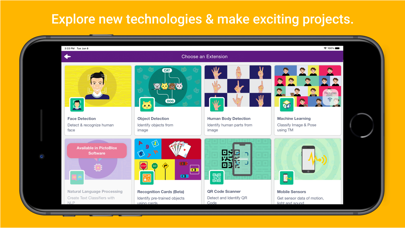
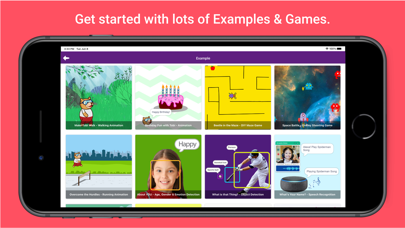
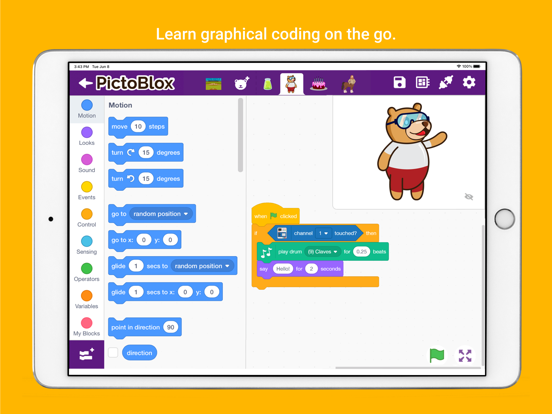
PictoBlox is a block based coding app for students with enhanced hardware-interaction capabilities and emerging technologies such as robotics, AI and machine learning that make learning to code fun and engaging. Just drag and drop the Scratch coding blocks and make cool games, animations, interactive projects, and even control robots the way you want! ● 21st-Century Skills PictoBlox opens doors for beginners to learn creative and physical computing in an engaging way and thus helps in developing must-have skills of today’s technology-driven world such as: - Creativity - Logical reasoning - Critical thinking - Problem-solving ● Coding Skills With PictoBlox and its courses, beginners will learn important coding concepts such as: - Logic - Algorithms - Sequencing - Loops - Conditional statements ● AI and ML for beginners Beginners can learn Artificial Intelligence and Machine Learning concepts such as: - Face and text recognition - Speech Recognition and virtual assistant - Training ML models like image, pose, and audio - AI based games ● Extensions for Making Countless DIY Projects PictoBlox has dedicated extensions for making projects based on the Internet of Things (IoT), controlling Scratch projects using a mobile app via Bluetooth, programming actuators, sensors, display modules, NeoPixel RGB lights, robotic arm, humanoid robots, and much more. Boards Compatible with PictoBlox App: - evive - Quarky - Arduino Uno - Arduino Mega - Arduino Nano - ESP32 - T Watch - Boffin - TecBits Bluetooth Modules Compatible with PictoBlox: - HC-05 BT 2.0 - HC-06 BT 2.0 - HM-10 BT 4.0 BLE (or AT-09) Want to know more about PictoBlox? Visit: https://thestempedia.com/product/pictoblox Getting Started with PictoBlox: Projects that you can make:https://thestempedia.com/project/
Latest release
What’s New
- Quarky robot servo channel A1 & A2 added - Quarky Advance line following: - calibrate IR Sensor block added - checkpoint argument added in do line following block - QR scan bug resolved.
Audience growth
Ratings growth
Baseline captured. Growth appears after the crawler observes a changed rating count.
Momentum comes from crawler snapshots for the tracked storefront. “Viral growth signal” means unusually fast recent rating gains; it is an indicator, not download data.
Price tracking
Price intelligence
First snapshot captured. The trend line starts after the next crawler price observation.
- First observed Aug 26, 2026 · 8:27 AM Free
Screenshots