About this app
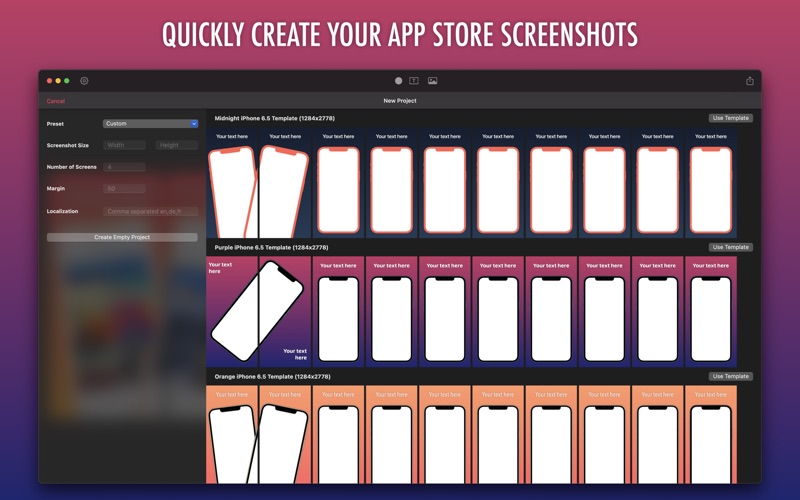
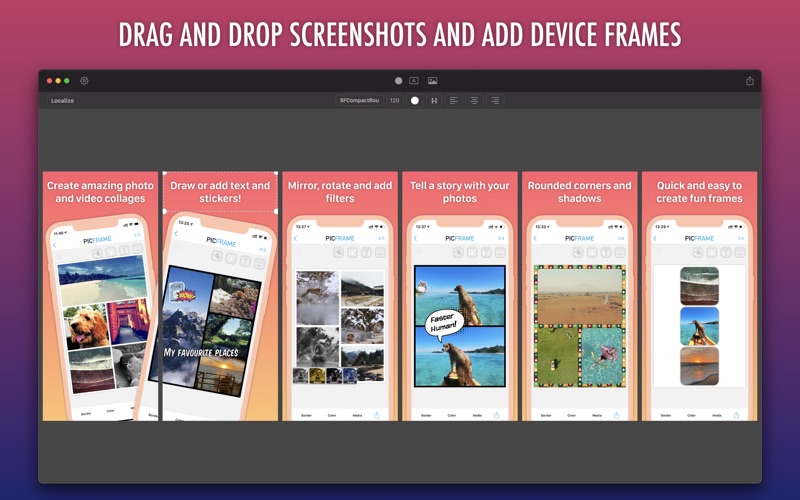
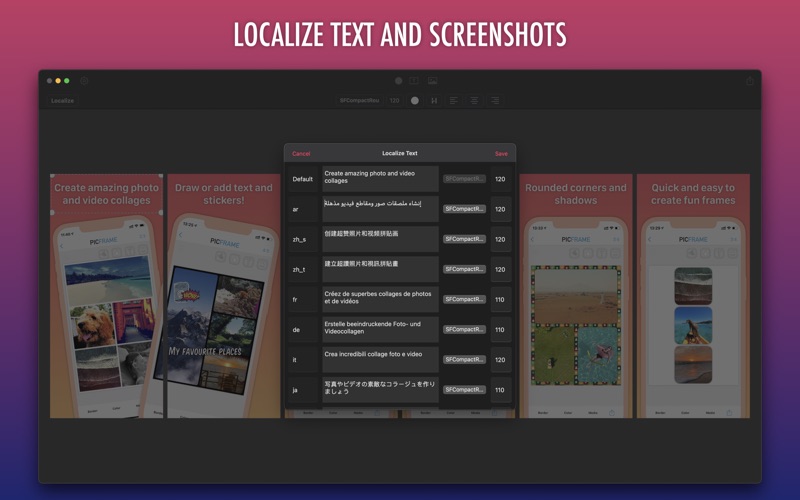
Creating screenshots to promote your app has never been easier. Use one of the templates and simply drag your screenshots in, edit the text and then output your screenshots ready to upload! If you are selling your app in multiple languages then you can also localize the text and screenshots and save all localizations at once. If you've done this manually before then you'll know how much time this will save you! Main features: * Drag and drop editor * Output multiple localizations at once * Choose your resolution and number of screens * Solid color or gradient background * Shadows on screenshots and text * Wrap your screenshots in device frames or a dynamic frame - Frames for modern iPhones, iPads and Android * Alignment snapping guides * Save your project to continue with it later * Set the margin between screenshots
Latest release
What’s New
Improved UI for project settings - Easier language selection - Updated device resolutions - Added helper information When changing screenshot or margin size the images or text scale to the new size New side bar for editing settings Advanced export options for custom save path
Audience growth
Ratings growth
Baseline captured. Growth appears after the crawler observes a changed rating count.
Momentum comes from crawler snapshots for the tracked storefront. “Viral growth signal” means unusually fast recent rating gains; it is an indicator, not download data.
Price tracking
Price intelligence
First snapshot captured. The trend line starts after the next crawler price observation.
- First observed Aug 23, 2026 · 1:43 AM Free
Screenshots