About this app
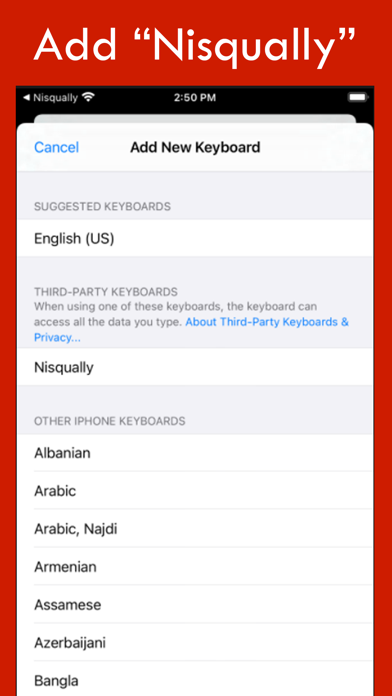
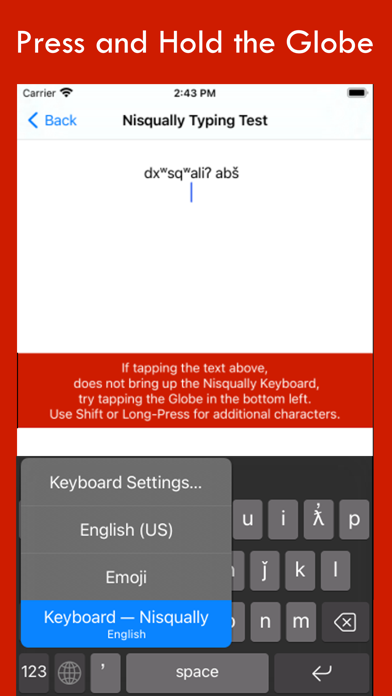
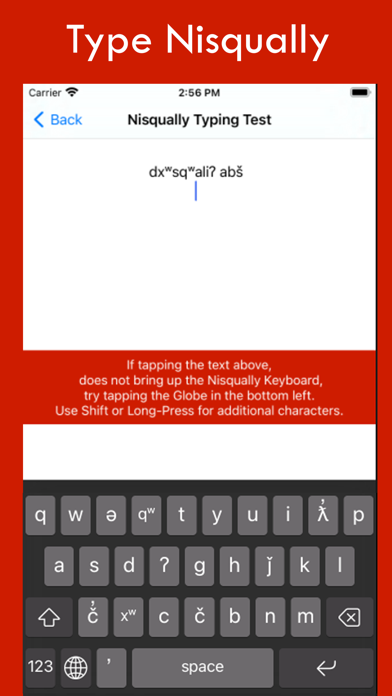
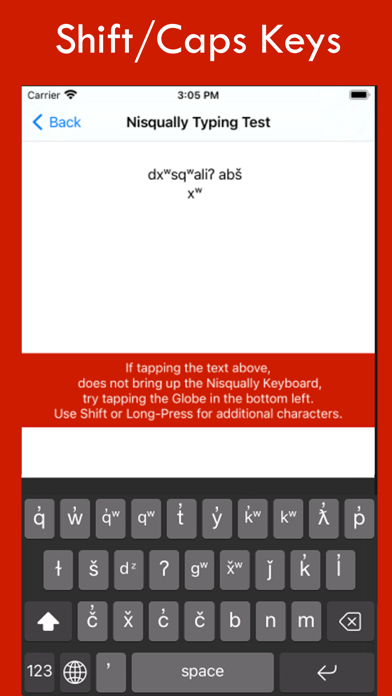
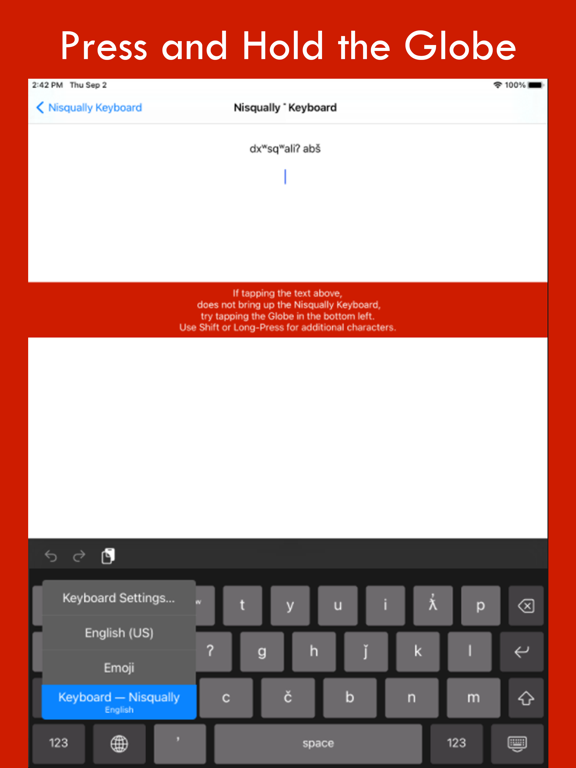
Nisqually Keyboard installs the keyboard layout setting for the Nisqually language. Nisqually Keyboard is the iOS app that let's you type correct Nisqually into any text area on your iOS mobile device by simply switching into the Nisqually Keyboard Layout. 1. Open the Nisqually App 2. Select "Go to Keyboard Settings" 3. Select "Add New Keyboard" 4. Select "Nisqually" 5. Go back to the App and "Test Keyboard" 6. Tap or Press and Hold the Globe to switch to the "Nisqually Keyboard" 7. Tap or Press and Hold the shift key to see additional characters Congratulations! Now you can type Nisqually. Once installed and selected as a keyboard option, you can switch between Nisqually and English as you type emails, SMS, MMS, web content, and in any other text-input field. Simply press the GLOBE icon to switch. This is the ultimate integrated Nisqually app keyboard solution to help you type Nisqually on Facebook, Twitter or wherever, accurately and with integrity. Once installed and selected as a keyboard option, you can switch between Nisqually and English as you type emails, SMS, MMS, web content, and any other text-input field.
Latest release
What’s New
Long press the a key to type ä
Audience growth
Ratings growth
Baseline captured. Growth appears after the crawler observes a changed rating count.
Momentum comes from crawler snapshots for the tracked storefront. “Viral growth signal” means unusually fast recent rating gains; it is an indicator, not download data.
Price tracking
Price intelligence
First snapshot captured. The trend line starts after the next crawler price observation.
- First observed Sep 10, 2026 · 6:13 PM Free
Screenshots