About this app
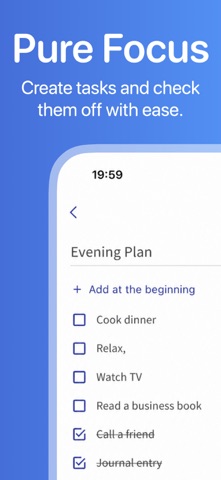
Organize your notes and sort them into any number of folders and subfolders. Create checklists or add your own pictures. With the notes app Folino, you have all your notes under control. Sorting by creation date: Notes can now be sorted not only by the modification date, but also by the creation date. Customizable date display: Choose whether you want to display the creation date or the modification date in your notes. These new features make the app ideal for use as a diary or journal - and some users are already using it for exactly that! They were very happy about the update because it makes capturing and browsing through memories even easier. Try it out and enjoy even more flexible and clearer note management! What else can the app do? - without advertising - Made in Germany - Made for YOU Text Notes Create as many text notes as you want. Pictures Add your own pictures to your notes. (in-app purchase as one-time payment) Checklists Create checklists and tick off completed entries or rearrange them as you wish. Folder Create your own note structure. You can create as many folders and sub-folders as you want. The number is not limited. Icons and color selection for folders There are many different symbols to choose from for the folders. You can also customize the color. (in-app purchase as one-time payment) Search function A quick full-text search enables you to find all notes, checklists and folders. Pin it You can pin very important things so that they are always at the top of the list. Favorites A separate favorites list for notes and folders enables quick access to marked notes. History With a separate list for the most recently edited notes, you can quickly pick up where you left off. Move Notes can be moved to other folders quickly and easily. Recycle bin Deleted notes are kept in the recycle bin and can be restored if desired. Offline The app can be used offline without an internet connection. Backup A manual file backup allows you to export and import your notes. Dark Mode The app supports the dark mode of your smartphone (dark theme). Add lock Folders and notes, as well as the entire app, can be locked with a PIN. Ad-free The app is and will be ad-free. Promised! For support, you are welcome to purchase one of the additional functions via in-app purchase.
Latest release
What’s New
Folino keeps notes, checklists and voice memos in folders, with optional Google Drive sync. What's new: • Import from Google Keep, voice notes included. • Link to your own notes and folders in the text (Premium). • Shortcuts: one note in several folders (Premium). • "Recent notes" in the note menu. • Copy & move in one dialog. • Search ranks by relevance; locked notes stay private. • Sync far more reliable, many bugs fixed.
Audience growth
Ratings growth
Momentum comes from crawler snapshots for the tracked storefront. “Viral growth signal” means unusually fast recent rating gains; it is an indicator, not download data.
Price tracking
Price intelligence
- First observed Aug 21, 2026 · 11:57 AM Free
Screenshots