About this app
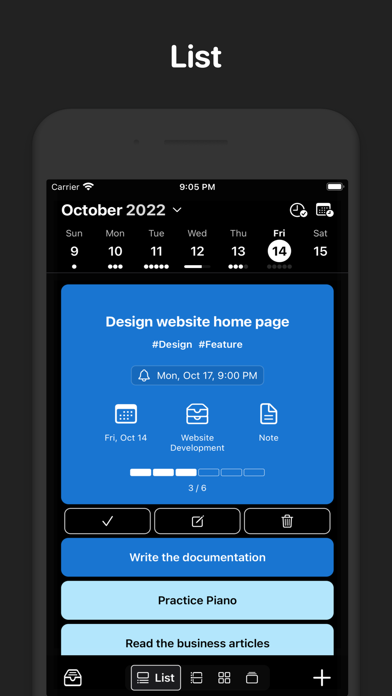
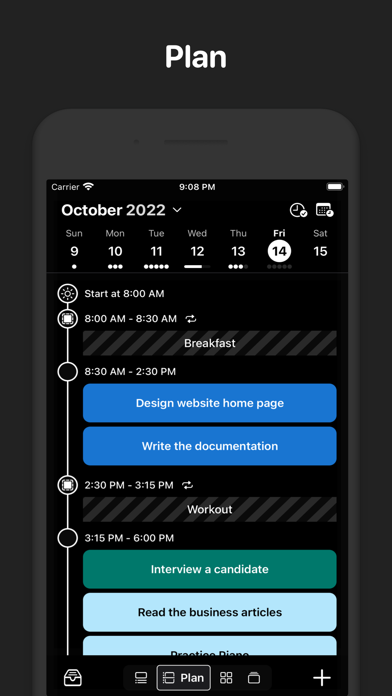
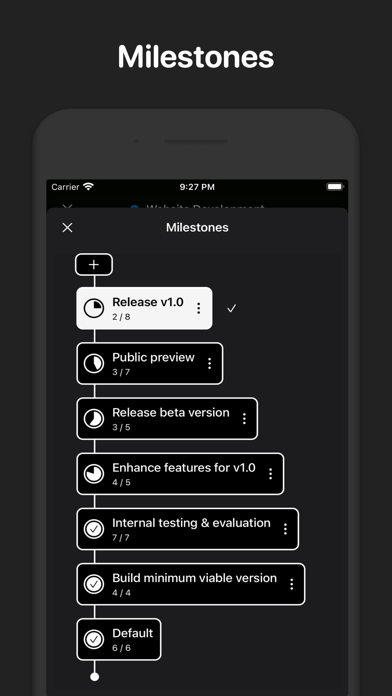
Execute helps you plan your day and run your projects—fast. Turn tasks into interactive cards you can drag, time-block, and track across flexible views. Stay focused, avoid decision fatigue, and finish the right work at the right time. Work your way - List View: Create, edit, and reorder with effortless drag-and-drop. Clean, fast, and reliable. - Plan View: Time-block your day on a timeline. See system calendar events, personal reservations, and tasks in one place. - Precise Planning (Pro): Estimate durations and fit tasks like puzzle pieces to build a realistic schedule. - Matrix View: Prioritize with the Eisenhower matrix (urgent vs. important). Create custom matrices for your workflow. - Focus View: Swipe through tasks like a deck of cards and stay in flow with the built-in Pomodoro timer. - Kanban: Move work through stages with a swipe. Visual progress, zero friction. Manage projects with clarity - Milestones: See where your project stands and what’s next. - Dependencies: Understand what’s blocked and why—avoid surprises. - Step Templates: Standardize recurring processes to save time and reduce errors. Why Execute - Fast setup: Add tasks in seconds and start planning immediately. - One place for the day: Calendar, time blocks, and tasks together. - Built for focus: Views that reduce context switching and keep you moving. Start planning with confidence and finish more of what matters—download Execute today.
Latest release
What’s New
Some improvements and fixes
Audience growth
Ratings growth
Baseline captured. Growth appears after the crawler observes a changed rating count.
Momentum comes from crawler snapshots for the tracked storefront. “Viral growth signal” means unusually fast recent rating gains; it is an indicator, not download data.
Price tracking
Price intelligence
First snapshot captured. The trend line starts after the next crawler price observation.
- First observed Aug 25, 2026 · 12:23 PM Free
Screenshots