About this app
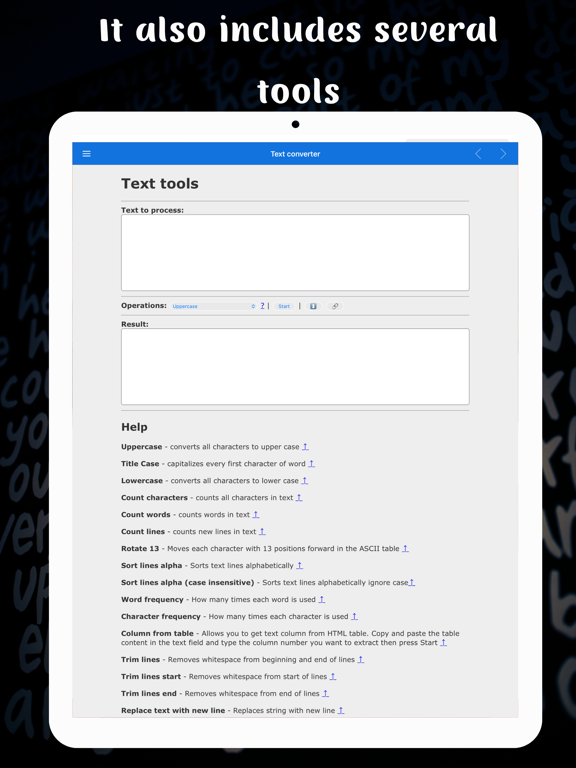
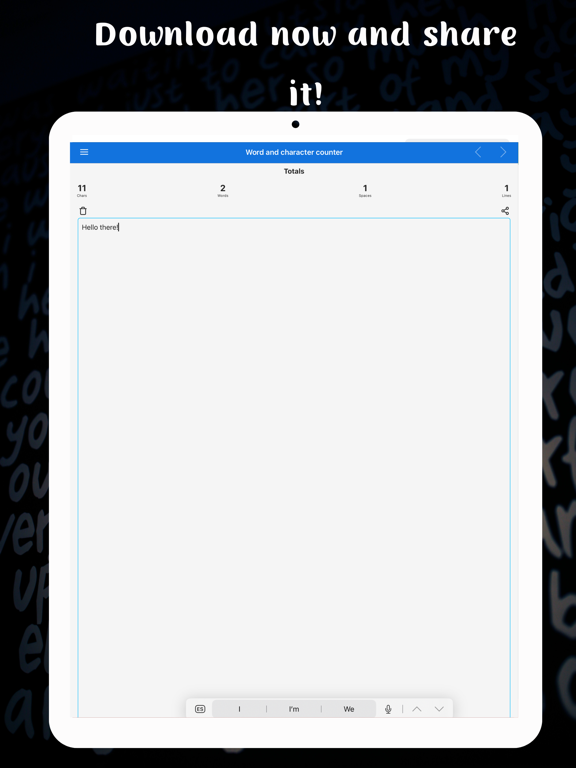
This text converter application is a versatile and powerful tool that allows users to easily manipulate and format text in a variety of ways. This application comes with a wide range of features that can be used to perform various tasks such as converting text to upper or lower case, counting characters, words, and lines, rotating the text by 13 positions in the ASCII table, sorting lines alphabetically, and more. One of the most useful features is the "Uppercase" and "Lowercase" option. With just one click, you can easily convert any text to all uppercase or all lowercase letters, making it easy to quickly format text for different purposes. Additionally, the "Title Case" feature capitalizes every first character of word which can be helpful for formatting titles and headings. Another great feature of the application is the ability to count characters, words, and lines in a text. This can be especially useful for writers, editors, and researchers who need to keep track of the length of their documents. The "Rotate 13" feature is a unique feature that moves each character with 13 positions forward in the ASCII table. This can be useful for creating simple encryption methods. The "Sort lines alpha" and "Sort lines alpha (case insensitive)" options allow users to sort the lines of text alphabetically, either with case sensitivity or without. This can be helpful for organizing lists and data. Another helpful feature is the "Word frequency" and "Character frequency" which allows you to know how many times each word or character is used in the text. The "Column from table" feature allows you to extract a specific column from an HTML table, making it easy to extract and use data from web pages. The "Trim lines", "Trim lines start" and "Trim lines end" feature removes whitespace from the beginning and end of lines, which can be helpful for formatting text and cleaning up data. The "Replace text with new line" and "Replace text" feature allows you to replace one string with another, which can be useful for finding and replacing specific words or phrases in a text. The "Format JSON" feature allows you to format JSON string which can be helpful for developers. The "URLEncode" and "URLDecode" feature allows you to encode and decode strings as URL safe strings, which can be useful for working with URLs. The "base64encode" and "base64decode" feature allows you to encode and decode text as base64. The "Add line numbers" feature allows you to add line numbers before every line of text. The "Split text" feature allows you to split text by separator. The "Reverse text" feature allows you to reverse the text. The "Generate numbers" feature allows you to generate numbers within the provided range. The "Unix to date" feature allows you to convert UNIX timestamp to Datetime string. The "Identify Hash" feature allows you to try to identify hash string. The "Prefix/Suffix lines" feature allows you to add prefix and/or suffix to each line of the text. The "Format Numbers" feature allows you to format numbers according to the current browser locale. The "Underscore" feature allows you to add underscore to the text. The "Strikeout" feature allows you to strike out the text. The "Shuffle" feature allows you to shuffle the lines of the text. The "Remove duplicate lines" and "Remove empty lines" feature allows you to remove duplicate
Audience growth
Ratings growth
Baseline captured. Growth appears after the crawler observes a changed rating count.
Momentum comes from crawler snapshots for the tracked storefront. “Viral growth signal” means unusually fast recent rating gains; it is an indicator, not download data.
Price tracking
Price intelligence
First snapshot captured. The trend line starts after the next crawler price observation.
- First observed Sep 12, 2026 · 4:17 AM Free
Screenshots