About this app
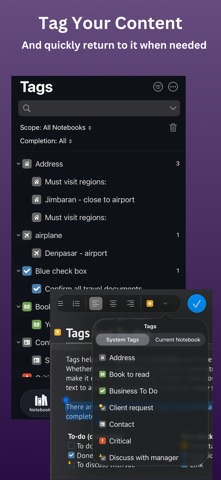
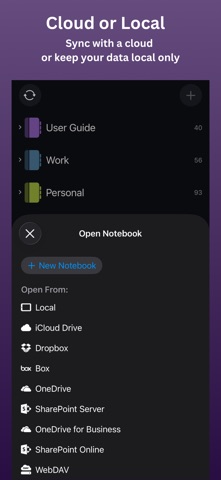
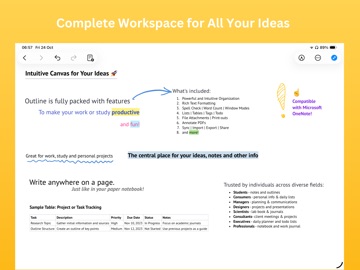
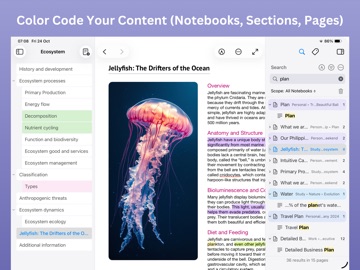
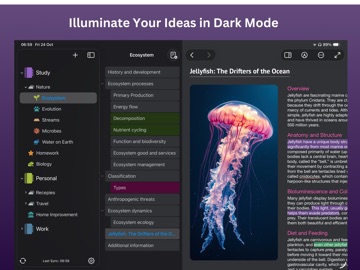
Outline: Knowledge Organizer is a powerful tool for managing notes and projects. It's compatible with MS OneNote and made for those who value structure and order. Create, connect and synchronize notes of study, work or personal goals. TAKING NOTES Start with a simple step: take notes in a convenient editor. — Put a text in any place like in a paper notebook. — Move ideas across pages and sections. — Add text, images, lists, tables and even embedded links. — Visualize notes with tags and to-do lists. INFORMATION STRUCTURING — Sort notes out to sections, topics or projects. — Adjust tags to find what you need within seconds. — A simple hierarchical organization helps take even big data under control. APPLE PENCIL - HANDWRITING AND DRAWING SUPPORT — Handwrite notes with Apple Pencil — Sketch diagrams or annotate printouts — Combine handwriting with text, images, and tables CONVENIENT SEARCH An instant search enables you to find information even in thousands of notes. Use filters in order to find necessary data fast, and forget about what it’s like to get lost in information chaos. ANNOTATE PDFs To collect related documents in one place, add them as file attachments. PDF files can be inserted as printouts for annotation. This way Outline becomes a universal tool for storing and working with your data. DATA SYNCHRONIZATION All your notes are synchronized between devices as Outline is compatible with popular clouds such as Box, Dropbox, iCloud, OneDrive, WebDAV, SharePoint or even your own one. Keep working from home, at the office or on the go — your data is always at your fingertips. INTEGRATION WITH MS ONENOTE — Work with OneNote files on Mac, iPad and iPhone. — Synchronization with OneDrive and SharePoint for collaborative work. SECURITY AND PRIVACY Your data is under reliable protection: — Data stored locally or in the cloud. — Password protection and encryption of sections. — Automatic locking for added security. Download Outline for free and make sure that it’s easy to structure and manage knowledge. Try it right now! STAY TUNED WITH OUTLINE Subscribe to: — Facebook: facebook.com/outlineapp — Twitter: twitter.com/outlineapp Text to support@outline.app for questions. Learn more at https://outline.app. By using this app, you agree to standard Apple Terms of Use (EULA): https://www.apple.com/legal/internet-services/itunes/dev/stdeula/
Latest release
What’s New
This release fixes an important issue where images pasted onto the first page of a section could fail to save if that section had just been renamed. After updating, your pasted images and notes save reliably in all cases. We recommend installing this update to keep your content safe. Thank you for using Outline!
Audience growth
Ratings growth
Baseline captured. Growth appears after the crawler observes a changed rating count.
Momentum comes from crawler snapshots for the tracked storefront. “Viral growth signal” means unusually fast recent rating gains; it is an indicator, not download data.
Price tracking
Price intelligence
- First observed Aug 21, 2026 · 11:27 AM Free
Screenshots