About this app
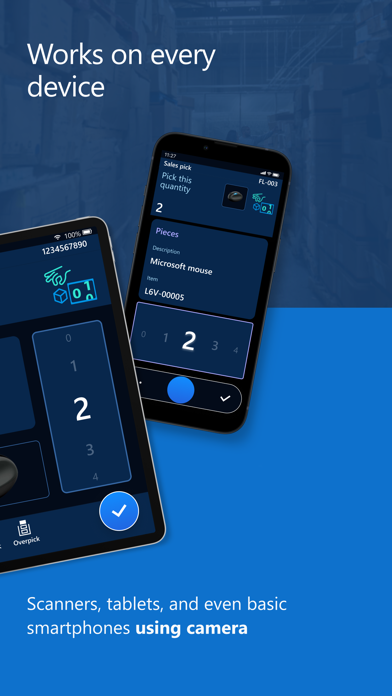
The Warehouse Management mobile app in Microsoft Dynamics 365 Supply Chain Management empowers warehouse workers to complete warehouse tasks using a mobile device. It connects directly to your Dynamics 365 Supply Chain Management environment and enables workers to complete material handling, receiving, picking, putaway, cycle counting, and production tasks from the warehouse floor. The Warehouse Management mobile app provides the following benefits and productivity-boosting features: Improved worker efficiency: ○ A tailored interface for fast-paced warehouse scanning ○ Over 50 different warehouse processes backed by Dynamics 365 Supply Chain Management ○ Large input controls to quickly dial in quantities ○ Built-in numpad with calculator that opens automatically for quantities over 20 ○ The most important information is easy to find and is set in a large font ○ Stored worker preferences and device-specific settings that can be managed centrally Improved ergonomics: ○ Large touch targets and other features that make the app easy to use with gloves ○ A high-contrast design that provides clear text on dirty screens ○ Custom button locations to match each worker's grip, device, and handedness Faster ramp up of new workers: ○ Clear titles and illustrations for each step ○ Full-screen photos to verify product selections Want to try it out? You can download the app and run it in demo mode, which lets you explore many of the features without connecting to a Dynamics 365 Supply Chain Management environment. We welcome your feedback! Learn more about what you can do with the Dynamics 365 Warehouse Management at: https://go.microsoft.com/fwlink/p/?linkid=2195553 By installing this app, you agree to the Terms at: https://go.microsoft.com/fwlink/?linkid=2246992
Latest release
What’s New
What's New: Version 4.1.4.0 adds the following fixes and improvements: Features: Camera improvements: Added support for Code 39 Mod 43 barcodes. Right-to-left (RTL) support: Corrected layout and formatting issues for right-to-left languages. Bug fixes: Submit spinner – Resolved a UI hang and glitch that occurred when submitting forms. Keyboard focus – Fixed an issue where the virtual keyboard didn't automatically trigger when typing started. Encoding – Resolved character rendering and text corruption issues. On-premises – Fixed issues affecting on-premises deployments on iOS.
Audience growth
Ratings growth
Baseline captured. Growth appears after the crawler observes a changed rating count.
Momentum comes from crawler snapshots for the tracked storefront. “Viral growth signal” means unusually fast recent rating gains; it is an indicator, not download data.
Price tracking
Price intelligence
First snapshot captured. The trend line starts after the next crawler price observation.
- First observed Aug 21, 2026 · 10:33 AM Free
Screenshots