About this app
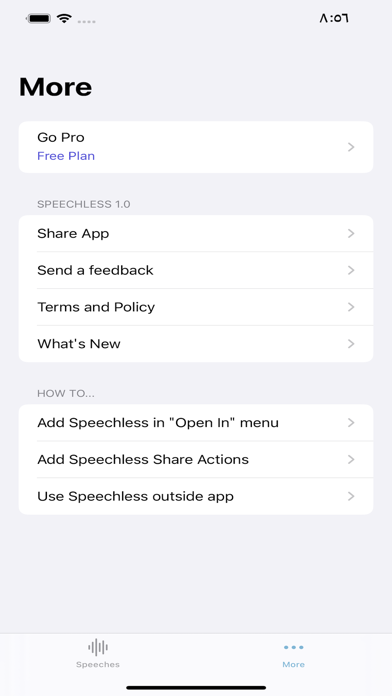
Introducing Speechless – the ultimate app powered by OpenAI's Whisper API, offering seamless audio transcription and translation. With Speechless, you can effortlessly import audio from the app or iPhone share menu and receive accurate transcriptions instantly. Break language barriers with real-time translations and effortlessly share your transcriptions with others, enabling unparalleled connection and communication. You can transcribe or translate audio directly from other apps, such as WhatsApp, Voice Memos, and Messages, and more: 1- For WhatsApp: - Long press on the voice message. - Click 'Forward,' then tap the share icon in the bottom right. - Finally, select 'Transcribe the audio' or 'Translate the audio' from the share sheet. (If they don't appear, please check the 'More' screen for the 'Transcribe the audio' option.) 2- For Messages: - Long press on the voice message. - Click on the wave icon. - Tap the share icon in the bottom left. - Select 'Transcribe the audio' or 'Translate the audio'from the share sheet. 3- For Voice Memos: - Click on the more icon on the voice memo. - Choose 'Share' from the menu. - Finally, select 'Transcribe the audio' or 'Translate the audio' from the share sheet. How it works: You can use Speechless in 4 ways: 1. Importing audio within the app: - Open the Speechless app. - Import your audio in one of the supported formats (mp3, mp4, mpeg, mpga, m4a, wav, or webm). - Easily switch between Transcriptions and Translations (optional). - Click on "Transcribe" or "Translate to English". - Wait for the process to finish, and then copy the results. 2. Importing audio using the Share sheet: - After selecting an audio file, click the Share button. - Find the Speechless app icon among other apps and select it to redirect to the app. - If you don't see the Speechless app icon, tap on "More," and enable it from there. 3. Translating audio in the Share menu (outside the app): - Select the audio file, then click the Share button. - If you don't see "Translate the audio," click on "Edit actions" and make sure it is enabled. - Choose "Translate the audio" in the share sheet. - The translation screen will open, and the audio translation will begin without using the app. - Once the translation is complete, the "Copy" button will become enabled. Copy the translation to your clipboard. 4. Transcribing audio in the Share menu (outside the app): - Select the audio file, then click the Share button. - If you don't see "Transcribe the audio," click on "Edit actions" and make sure it is enabled. - Choose "Transcribe the audio" in the share sheet. - The transcription screen will open, and the audio transcription will begin without using the app. - Once the transcription is complete, the "Copy" button will become enabled. Copy the transcription to your clipboard. With Speechless, experience the ease and convenience of audio transcription and translation, making communication across languages effortless and efficient. For more information: Terms of Use - https://sites.google.com/view/speechlessapp/terms-and-conditions Privacy Policy - https://sites.google.com/view/speechlessapp/privacy-policy Payment Policy - https://sites.google.com/view/speechlessapp/payment-policy
Latest release
What’s New
Fixed an issue where transcribing long audio files would sometimes result in a timeout error.
Audience growth
Ratings growth
Baseline captured. Growth appears after the crawler observes a changed rating count.
Momentum comes from crawler snapshots for the tracked storefront. “Viral growth signal” means unusually fast recent rating gains; it is an indicator, not download data.
Price tracking
Price intelligence
First snapshot captured. The trend line starts after the next crawler price observation.
- First observed Sep 3, 2026 · 2:16 AM Free
Screenshots