About this app
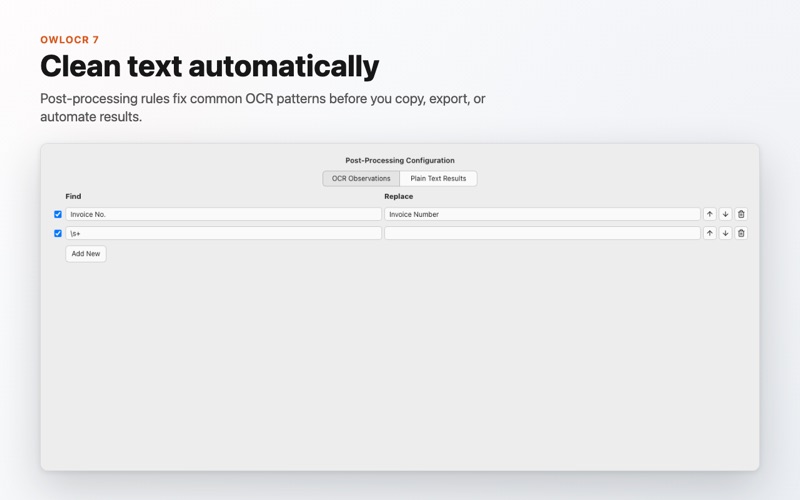
OwlOCR turns screenshots, images, scans, and PDFs into text you can copy, edit, export, and search. OwlOCR 7 adds optional local AI OCR for the tough cases: messy screenshots, low-quality scans, dense layouts, and documents where Apple's built-in OCR needs another pass. Apple Vision remains available for fast on-device OCR with text boxes and searchable PDF export, while OCR AI runs a downloaded model on your Mac and returns clean page text. Everything runs on-device. Your documents are not sent to an online AI service by OwlOCR. Features: - Grab any screen area and copy recognized text to the clipboard - Open images and PDFs for page-by-page text recognition - Automatically detect and rotate sideways or upside-down pages - Export searchable PDFs with an invisible OCR text layer - Use OCR AI locally for harder screenshots, scans, and layouts - Scan barcodes and QR codes, then open links automatically - Create searchable PDFs, text files, or clipboard text from Finder Quick Actions - Capture multiple screenshots in one workflow - Apply custom OCR words and post-processing rules - Integrate OCR into automation with the OwlOCR command line tool - Choose menu bar or Dock app behavior - Dark Mode support and configurable keyboard shortcuts Pro features include batch OCR for multipage PDFs and multiple documents, Finder Quick Actions on multiple files, higher multi-screenshot limits, post-processing rules, command line integrations, and OCR AI. Privacy Policy - https://owlocr.com/privacypolicy Terms of Use - https://www.apple.com/legal/internet-services/itunes/dev/stdeula/
Latest release
What’s New
Searchable PDF export now handles Finder tags and other file metadata changes reliably. Fixed: - Prevented a false “file changed while preparing the PDF” error when your image or PDF contents are unchanged. - Kept source checks responsive to cancellation while confirming that recognized text still matches the original file.
Audience growth
Ratings growth
Baseline captured. Growth appears after the crawler observes a changed rating count.
Momentum comes from crawler snapshots for the tracked storefront. “Viral growth signal” means unusually fast recent rating gains; it is an indicator, not download data.
Price tracking
Price intelligence
First snapshot captured. The trend line starts after the next crawler price observation.
- First observed Sep 17, 2026 · 4:44 AM Free
Screenshots