About this app
The HMS Express app is a mobile-friendly way to interface with your community association and Homeowner Management Services. You will be able to make payments, view your account, and access community information all in one place. If you already have a login to your HMS Community Website, then you can log in to the HMS Express app using the same email address and password you use for your HMS Community Website. If you do not have a current login, then click the Register button and submit your information. After your registration is approved by HMS, you will receive an email with a link to set your password and then you will be able to log into your account directly from the HMS Express app. (Note that approval of your registration may take up to two business days.) If you have already registered for your HMS Community Website but do not remember your password, then use the Forgot Password option. Once logged in, Homeowners will have direct access to the following features: 1. Switch between accounts if multiple properties are owned, or if you have a separate account for utilities. 2. See your account at a glance with the Dashboard. 3. Download documents and forms. 4. View directories. 5. Contact your dedicated HMS associates directly. 6. Pay your Assessments and review your ledger. 7. Review and reply to any violation letters that you have received. 8. Submit modification requests, including your community's forms and any pictures, paint samples, and information that your architectural committee needs. 9. Pay for access devices and other miscellaneous items. 10. Reserve the clubhouse or other amenities. 11. Submit work orders, and also review, comment on, and add photos to existing work orders. In addition, Board Members will be able to take advantage of the following features using their same login: 1. Get updates from your Association Manager about ongoing Board Tasks. 2. Review and comment on all modification requests. 3. Download Board-exclusive documents. 4. Review any Open violations.
Latest release
What’s New
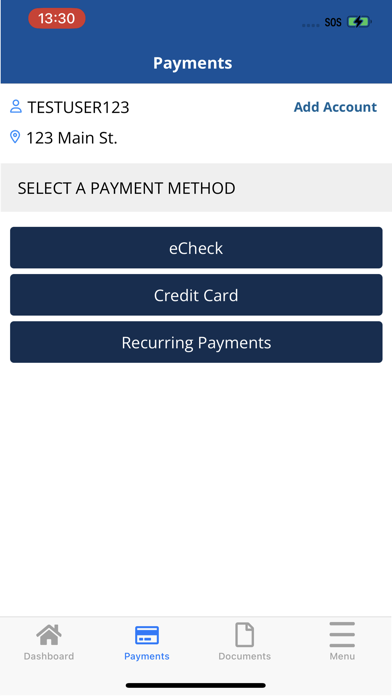
Version 10.0 contains the following: Redesigned Payment screens to improve user experience and support Apple Pay. Cephai now response with an improved response when it cannot answer a question. You can now cancel your reservations within the cancellation period from the My Reservations screen. UI improvements & bug fixes.
Audience growth
Ratings growth
Baseline captured. Growth appears after the crawler observes a changed rating count.
Momentum comes from crawler snapshots for the tracked storefront. “Viral growth signal” means unusually fast recent rating gains; it is an indicator, not download data.
Price tracking
Price intelligence
First snapshot captured. The trend line starts after the next crawler price observation.
- First observed Oct 11, 2026 · 3:09 AM Free
Screenshots