About this app
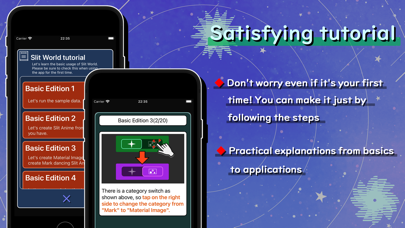
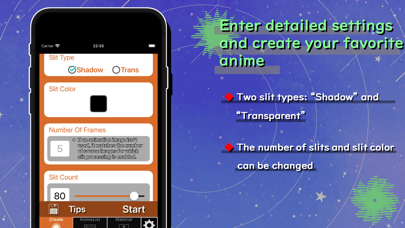
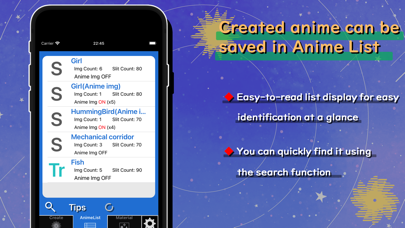
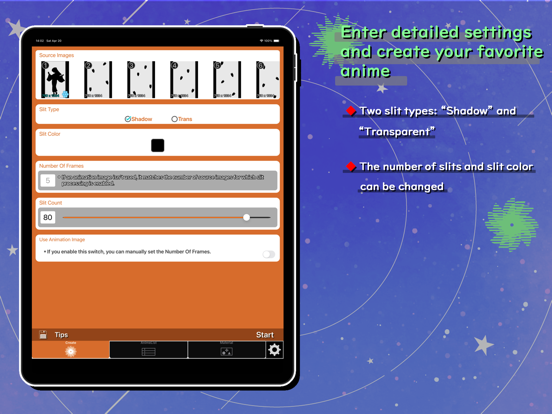
[+] About this app This app allows you to enjoy simple animation using slits. Not only can you enjoy multiple samples immediately after installation, but you can also create animations using your own illustrations or images created in "Material Images" category within the app. The slit animation you create can be shared as a single image, so share it with your friends and show off your creation! Don't worry even if it's your first time! An easy-to-understand tutorial is also included. [+] Main function - Tutorial - No need to worry even if you are using the app for the first time! It have tutorials that will help you learn the basics of using the app just by following the instructions. - Execute slit animation - Multiple elegant samples are available, so you can enjoy slit animation immediately after installing the app. You can also create your own slit animation within the app. - Create a slit animation - By setting images and entering parameters, you can create a slit animation that would normally take a long time to create in less than a minute. You can make detailed settings such as selecting "shadow slit" or "transparent slit" and setting the number of slits etc. - Create slit animation frame image - The "Material" function allows you to create Mark and Material Image, and intuitively create images that change with animation. It comes with a wealth of features that will satisfy both beginners and advanced users. [+] Caution We can NOT compensate for any financial or physical damage caused by using this app. Please refrain from using this app in a way that places an excessive load on it. [+] Background image credit OKUMONO https://sozaino.site/ [+] Contact info If you notice anything when using this app, or if you have any requests for additional functions, please contact us using the contact form or the contact information below. Twitter: https://twitter.com/Ayasata_info Mail: inquiry3493@gmail.com
Latest release
What’s New
- Update App Store information.
Audience growth
Ratings growth
Baseline captured. Growth appears after the crawler observes a changed rating count.
Momentum comes from crawler snapshots for the tracked storefront. “Viral growth signal” means unusually fast recent rating gains; it is an indicator, not download data.
Price tracking
Price intelligence
First snapshot captured. The trend line starts after the next crawler price observation.
- First observed Sep 18, 2026 · 10:09 PM Free
Screenshots