About this app
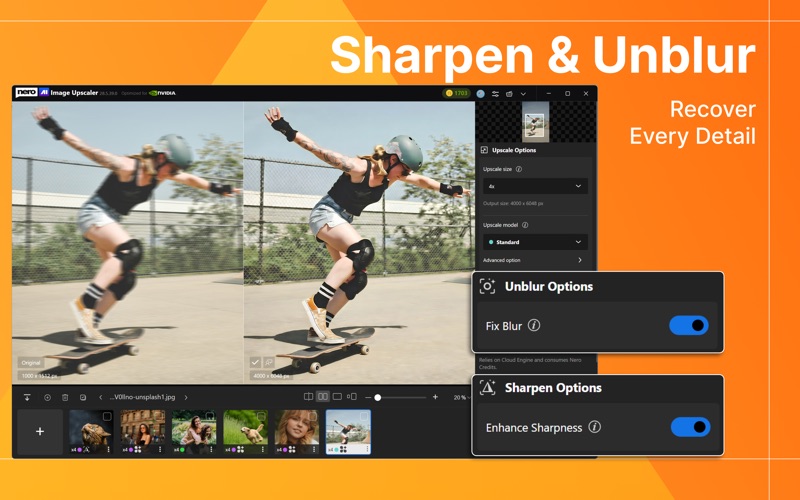
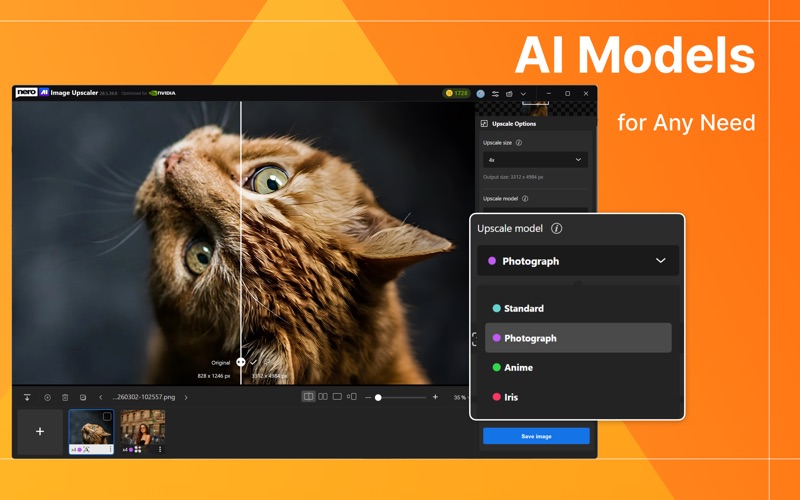
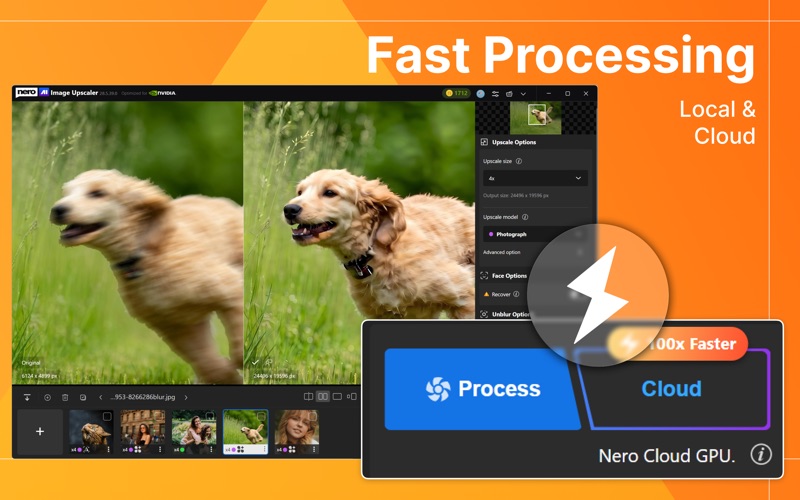
Here is Nero AI Image Upscaler for Mac! Enhance images up to 16K, removing camera noise and artifacts for professional-quality results. #Key Features * 8x AI Upscaling – Enlarge images by up to 800%, up to 16K resolution, while preserving texture, edges, and natural details. * Sharpen & Unblur – Improve soft or blurry images caused by motion blur, camera shake, focus issues, or compression artifacts. * Noise and Artifact Reduction – Remove compression artifacts and grain for a cleaner, more natural look. * Old Photo Restoration – Bring faded, blurry, or damaged old photos back to life with AI-powered enhancement. * One-Click Enhancement – Get clearer, sharper, and higher-resolution images instantly. # AI Models for Every Need Core Upscaling Models: * Standard – General-purpose upscaling for various scenes, especially landscapes or cityscapes * Anime – For anime, illustrations, paintings, and artistic works. * Photo – Real-life photos from phone or digital camera-portraits, nature, architecture, everyday scenes * Iris – For fine details in portraits, fur, hair, and textures. Enhancement Models (work alongside upscaling): * Face Enhancement – For restoring blurry faces. * Sharpen – For improving clarity, texture, and edge definition. * Unblur – For recovering blurry photos caused by motion, shake, or focus problems. # Simple, Fast, and Powerful * Online & Local Mode – Choose the processing mode that best fits your needs. * Larger Batch Processing – Process up to 100 images in one run. * Custom Sizing – Resize images by 2x, 4x, 8x, or custom dimensions. * View Options – Compare original and enhanced images with multiple viewing modes. #How It Works: 1. Launch the app. 2. Import your image. 3. Choose the AI model that suits your image type. 4. Start the upscaling process. 5. Save your enhanced image to your library. #Why People Love It: Elena Martinez – Graphic Designer "As a graphic designer, I often work with low-resolution images from clients. This product effortlessly upscales images without losing detail, making my design work look professional." Anita Patel – Freelance Blogger "As a blogger, I often need high-quality images for my articles. Nero AI Image Upscaler helps me enlarge and enhance stock photos to suit my needs perfectly." Jordan Lee – E-Commerce Business Owner "Product images are crucial for my online store. Nero AI Image Upscaler has saved me so much time and money by allowing me to enhance product photos right from my Mac." #Your Privacy Matters We delete uploaded files instantly, and processed images are removed after 8 hours. Your files remain private, and no one else can access them—your privacy is 100% guaranteed. #Feedback: For any questions, please contact us at lens@nero.com We would love to get your feedback ;) #Follow us: - Instagram: https://www.instagram.com/nerolens/ - X: https://x.com/nero_lens Terms of Service: https://www.nero.com/eng/corp-legal/terms-conditions.php Privacy Policy: https://www.nero.com/eng/corp-legal/privacy.php EULA: https://www.nero.com/eng/corp-legal/end-user-agreement.php Nero Account Deletion Please visit Account center: https://login.nero.com/oauth/profile
Latest release
What’s New
Minor bug fixes and performance improvements.
Audience growth
Ratings growth
Baseline captured. Growth appears after the crawler observes a changed rating count.
Momentum comes from crawler snapshots for the tracked storefront. “Viral growth signal” means unusually fast recent rating gains; it is an indicator, not download data.
Price tracking
Price intelligence
First snapshot captured. The trend line starts after the next crawler price observation.
- First observed Aug 26, 2026 · 9:42 AM Free
Screenshots