About this app
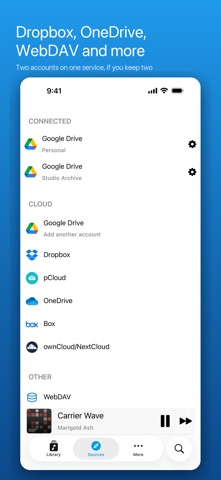
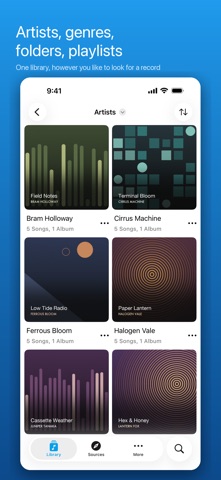
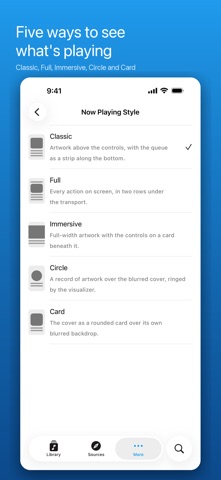
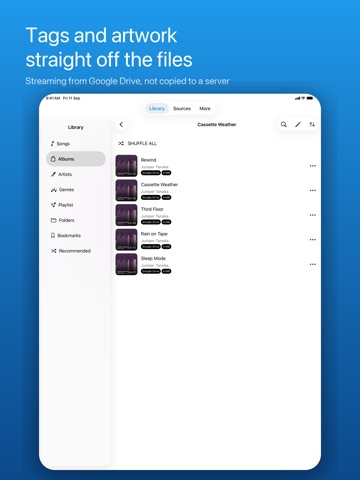
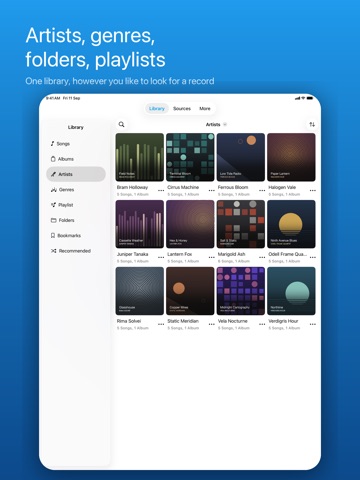
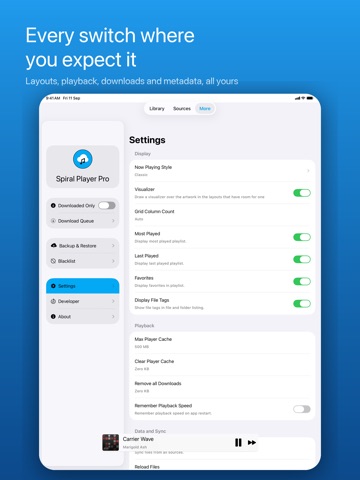
Spiral Player plays the music you already own. Point it at a cloud drive, a WebDAV server or the files on this device, and it reads the tags and builds a library out of what it finds — songs, albums, artists, genres, folders. There is no catalogue to subscribe to and nothing to upload anywhere new. CONNECT YOUR STORAGE • Google Drive, Dropbox, OneDrive, Box and pCloud • Nextcloud, ownCloud and any WebDAV server • Files already on this iPhone or iPad • More than one account per service, so two Google Drives sit side by side Stream a song straight off the drive, or keep it on the device and play it with no signal at all. A LIBRARY, NOT A FILE LIST Songs, albums, artists, genres, folders and playlists, each with its own sort order and a list or grid view. Search by title, album, artist or genre. Favourites, Most Played and Last Played build themselves. Blacklist a song or a whole folder and it stops appearing; turn on Hide Duplicates and one copy shows. PLAYBACK • MP3, M4A, AAC, ALAC, FLAC, WAV, AIFF and AC3 • Background playback, lock screen and Control Centre, AirPlay • A Now Playing widget for the home screen • Repeat one, repeat all, shuffle, and a queue you can reorder • Embedded lyrics, or search the web for the rest • Sleep timer • Playback speed, remembered across restarts if you want it FIVE NOW PLAYING LAYOUTS Classic keeps the artwork above the controls with the queue along the bottom. Immersive runs the artwork full width over a card of controls. Circle spins the cover as a record inside a ring of visualizer. Card floats the cover over its own blurred backdrop. Full puts every action on screen in two rows under the transport. TAGS AND ARTWORK Edit title, artist, album, album artist, genre, year and track number, one song or a whole selection at once. The edits live in the app; the files on your drive are left exactly as they are. Replace album art with your own picture. DOWNLOADS Save a song, an album or a whole folder to the device. Downloaded Only mode hides everything still in the cloud, so the library on a plane is the library you can actually play. Cap the streaming cache at a size you choose, or clear it. BACKUP AND RESTORE Write playlists, favourites, blacklist, bookmarks, sort orders and artist info to one file, and restore it on another device or after a reinstall. SPIRAL PLAYER PRO The free app streams from every service above with one account each, and browses, searches, sorts, queues and plays the whole library. Pro is one purchase, not a subscription, and adds: no ads; saving songs, albums and folders offline; audio bookmarks; the tag editor; playback speed; custom playlist artwork; four more Now Playing layouts and the visualizer; and a second account on any service. It is held by your Apple Account and restored with one button on any device you sign into. Twenty-two languages. VoiceOver labels throughout, Dynamic Type, and a library a screen reader reads row by row.
Latest release
What’s New
This update includes various app and performance improvements.
Audience growth
Ratings growth
Baseline captured. Growth appears after the crawler observes a changed rating count.
Momentum comes from crawler snapshots for the tracked storefront. “Viral growth signal” means unusually fast recent rating gains; it is an indicator, not download data.
Price tracking
Price intelligence
First snapshot captured. The trend line starts after the next crawler price observation.
- First observed Sep 18, 2026 · 10:09 PM Free
Screenshots