About this app
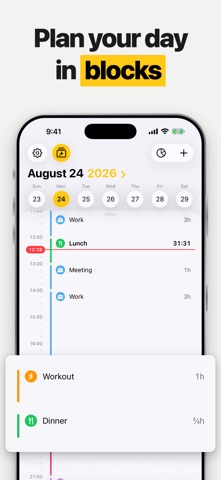
Boost your productivity with AI-powered timeboxing. Pareto AI is a simple daily and weekly planner. Give every task its own slot, and your day gets a structure you can actually keep. Reto, your AI-powered assistant, plans with you: say what's coming up and it lands in your timeline, with categories, lists and icons assigning themselves. Your calendar shows up as suggestions where nothing is planned yet, so an hour never gets booked twice — one tap turns a suggestion into a block. Tasks, habits and quick notes live in the same place, and statistics show where your time actually went. Everything stays on your iPhone. Reto thinks locally with Apple Intelligence; nothing is sent to outside services. Only your backup goes to your own iCloud, and only if you want one. Planning your day is free. Pareto AI Pro adds Reto, your calendar in the timeline, reminders for timeboxes, tasks and habits, in-depth statistics, unlimited habits, 800+ premium icons, dark mode and automatic iCloud backup. Monthly or yearly, charged to your Apple Account at confirmation of purchase, renewing automatically unless cancelled at least 24 hours before the end of the period. Reto requires a device with Apple Intelligence. Terms of Use (EULA): https://www.apple.com/legal/internet-services/itunes/dev/stdeula/ Privacy Policy: https://maxhinkel.de/paretoai/privacy-policy
Latest release
What’s New
Pareto is rebuilt from the ground up for iOS 26. Reto, your AI-powered assistant, now plans with you — on your device, with Apple Intelligence — and categories, lists and icons assign themselves. Your calendar appears in the timeline as suggestions, right where nothing is planned yet, and one tap turns a suggestion into a block. New as well: reminders for task deadlines, a new widget, and a new look throughout. Everything from the previous version comes along — your timeboxes, tasks, habits and notes are all there. Dark mode and reminders are now part of Pro, and the widget needs to be added to your home screen once after updating.
Audience growth
Ratings growth
Baseline captured. Growth appears after the crawler observes a changed rating count.
Momentum comes from crawler snapshots for the tracked storefront. “Viral growth signal” means unusually fast recent rating gains; it is an indicator, not download data.
Price tracking
Price intelligence
First snapshot captured. The trend line starts after the next crawler price observation.
- First observed Aug 28, 2026 · 11:24 PM Free
Screenshots