About this app
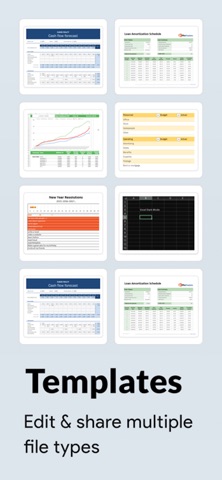
Sheets - Excel Editor is a powerful and intuitive Excel editing tool for iOS, designed to help you manage, create, and edit spreadsheets with ease. Whether you’re working on a project, financial plan, or inventory list, this app is packed with features that streamline your spreadsheet experience. Features: 1. Excel File Management: • Create New Excel Files – Start fresh by creating new Excel workbooks from scratch with ease. • Import Existing Excel Files – Quickly import .xlsx files from your device. • Add to Favorites – Mark important files as favorites for quick and easy retrieval. • Predefined Templates – Choose from templates designed for financial, project planning, inventory tracking, and more. 2. AI-Powered Assistance: • AI Chat Integration – Get smart suggestions for formulas, troubleshoot issues, and receive helpful tips for data analysis. 3. Spreadsheet Creation & Editing • Cell Formatting: • Apply bold, italic, and strike-through styles to text • Merge cells for improved data organisation • Adjust text alignment horizontally (left, center, right) and vertically (top, middle, bottom) • Change text and cell fill colors to enhance readability • Apply or remove cell borders like inner, horizontal, vertical, outer, left, top, right, and bottom • Undo/Redo functionality for seamless editing • Search Text for finding data within large spreadsheets • Set Fonts & Sizes: • Choose from a variety of fonts and sizes to customize the appearance of your text. • Insert & Delete Rows/Columns: • Effortlessly insert and delete rows or columns to organise data as you need. Subscription Details: Payment will be charged to iTunes Account at confirmation of purchase Subscription automatically renews unless auto-renew is turned off at least 24-hours before the end of the current period Account will be charged for renewal within 24-hours prior to the end of the current period, and identify the cost of the renewal No cancellation of the current subscription is allowed during active subscription period Any unused portion of a free trial period, if offered, will be forfeited when the user purchases a subscription to that publication, where applicable Note:- For Further Information: Privacy Policy: https://privacypolicycenter.com/new/view/id6737402064 Terms of Use: https://privacypolicycenter.com/new/terms/id6737402064 EULA: https://privacypolicycenter.com/new/eula/id6737402064
Latest release
What’s New
- Performance Improvement. - Bugs Fixing.
Audience growth
Ratings growth
Baseline captured. Growth appears after the crawler observes a changed rating count.
Momentum comes from crawler snapshots for the tracked storefront. “Viral growth signal” means unusually fast recent rating gains; it is an indicator, not download data.
Price tracking
Price intelligence
First snapshot captured. The trend line starts after the next crawler price observation.
- First observed Aug 21, 2026 · 9:48 AM Free
Screenshots