About this app
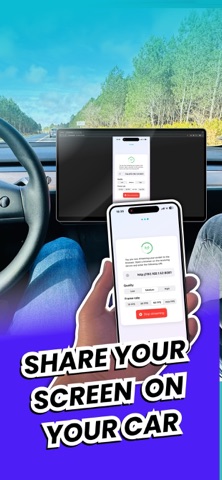
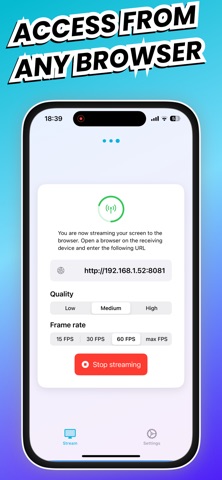
Screencast • mirroring for Car is an iOS app designed specifically to cast your iPhone screen to vehicle browsers, allowing you to view your iPhone content directly on your car's display. # Car-Optimized Screen Sharing - Stream your iPhone screen to your car's web browser - Use iPhone navigation apps on your car's larger display - Access iPhone media content not available in car's native apps - Display trip information and custom dashboards - Show presentations or videos on your car screen while parked # How to Use 1. **Start Sharing** - Tap the "Start" button in the app - Select "Car Screen Mirror Extension" from the list - Keep the app open during sharing 2. **Connect to Car** - Ensure your iPhone and Car are on the same WiFi network - Open the web browser on your Car display - Enter the IP address shown in the app - Wait a few seconds for connection 3. **Stop Sharing** ## Network Requirements 2. Connect your Car to your iPhone's Personal Hotspot: - Enable Personal Hotspot in iPhone Settings - Turn on "Allow Others to Join" - Connect your Car to the iPhone hotspot - For safety, use Car Screen Mirror only when your vehicle is parked - Some content may be protected by DRM and cannot be shared. For these cases, a black screen may be displayed, or the sound may be muted. ### Free Plan - 3 minutes sharing duration per session - Basic features ### Premium Plan - Unlimited sharing duration - Unlimited sessions - Priority support - Optimized performance for Car browsers
Latest release
What’s New
Bug fixes
Audience growth
Ratings growth
Baseline captured. Growth appears after the crawler observes a changed rating count.
Momentum comes from crawler snapshots for the tracked storefront. “Viral growth signal” means unusually fast recent rating gains; it is an indicator, not download data.
Price tracking
Price intelligence
First snapshot captured. The trend line starts after the next crawler price observation.
- First observed Aug 28, 2026 · 9:27 AM Free
Screenshots