About this app
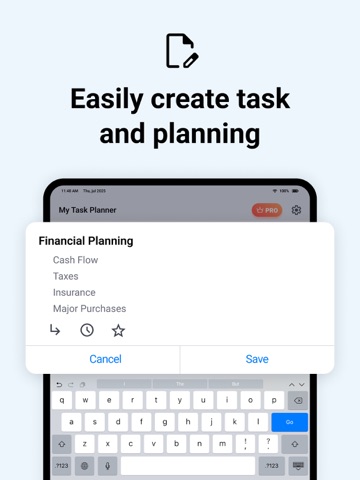
Tasks Planner App is a powerful and user-friendly task management application designed to help users efficiently organise and track their daily tasks. With features like task creation, filtering, calendar integration, and notifications, this app ensures users stay on top of their to-do lists seamlessly. Key Features: 1. Task Creation & Management: • Add, Edit, and Delete Tasks – Quickly create tasks with customisable details, modify them when needed, or remove completed/unwanted tasks. • Task Properties – Store task information including: • Title – A concise task name. • Description – Additional details about the task. • Date – Set a due date for each task. • Priority Levels – Categorise tasks as low, medium, or high priority. • Reminder & Notifications – Set alerts to ensure tasks are completed on time. • Mark Tasks as Favourite/Unfavourite – Pin important tasks for easy access. 2. Task List & Filtering • Task Display – A structured task list with clear titles, due dates, and priority indicators. • Filtering & Sorting – Users can organise tasks by: • Date – View upcoming tasks first. • Priority – Focus on high-priority tasks. • Custom Order – Arrange tasks based on user preference. 3. Calendar Integration For a more visual representation of task scheduling, the app includes a calendar view: • Task Highlighting – Tasks appear on the calendar on their scheduled dates. • Tap-to-View Tasks – Users can tap on a specific date to see a list of tasks scheduled for that day. • Colour-Coded Tasks – Tasks are visually categorised based on priority or type. 4. Reminders & Notifications • Single Reminders – Set a one-time notification for a task. • Recurring Reminders – Set daily, weekly, or custom recurring reminders for tasks. Subscription Details: Payment will be charged to iTunes Account at confirmation of purchase Subscription automatically renews unless auto-renew is turned off at least 24-hours before the end of the current period Account will be charged for renewal within 24-hours prior to the end of the current period, and identify the cost of the renewal No cancellation of the current subscription is allowed during active subscription period Any unused portion of a free trial period, if offered, will be forfeited when the user purchases a subscription to that publication, where applicable Note:- For Further Information: Privacy Policy: https://sites.google.com/neonfz.com/privacy-policy/home Terms of Use: https://sites.google.com/neonfz.com/termsofuse/home
Audience growth
Ratings growth
Baseline captured. Growth appears after the crawler observes a changed rating count.
Momentum comes from crawler snapshots for the tracked storefront. “Viral growth signal” means unusually fast recent rating gains; it is an indicator, not download data.
Price tracking
Price intelligence
First snapshot captured. The trend line starts after the next crawler price observation.
- First observed Aug 21, 2026 · 9:48 AM Free
Screenshots