About this app
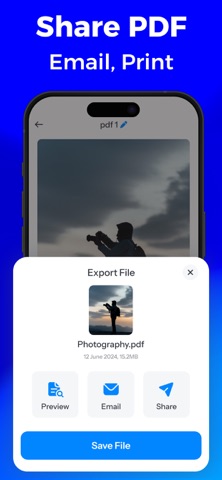
Photo to PDF Maker – Scan & Convert Convert photos & scans to PDF fast and offline Turn Photos into PDFs in Seconds – Fast, Secure & Hassle-Free! Looking for the easiest way to convert your images into PDFs? Whether you're scanning documents, saving memories, or organizing work files, Photo to PDF Maker helps you create high-quality PDFs from your iPhone in just a few taps. Perfect for students, professionals, or anyone who needs to convert images, screenshots, or scanned papers into organized PDF files – all directly on your device. Key Features: ► Convert Images to PDF Instantly Select photos from your gallery or use the built-in camera to capture new images, then convert them to PDF with a single tap. ► Scan Documents with Camera Easily scan paper documents using your iPhone camera. Auto-enhance, crop, and convert to clean, professional PDFs on the go. ► Fast, Offline & Secure All conversions happen offline on your device. No internet? No problem. Your files stay private and secure. ► Organize with Custom Folders & File Names Stay organized with smart folder creation and custom file naming. Manage multiple documents without the mess. ► Share, Mail or Print in One Tap Send your PDFs via Mail, iMessage, AirDrop, or any app. You can also print documents right from the app. ► Simple and Intuitive Design Built for speed and simplicity. No complex menus—just a clean, user-friendly interface that anyone can use. Why Choose Photo to PDF Maker? • Lightweight & lightning-fast • No registration required • Perfect for photos, receipts, IDs, notes, and scanned papers • Ideal PDF solution for mobile users PDFs are created with watermark in the free version. Upgrade to PRO to unlock watermark-free exports and enjoy an ad-free experience. Download now and convert your images to professional PDFs anytime, anywhere – with just your iPhone! Privacy policy : https://photostopdfprivacy.blogspot.com Terms of use : https://sites.google.com/view/kr-terms-of-use/home
Latest release
What’s New
1. Fixed various bugs to enhance app performance & stability. 2. Implemented general improvements for a better user experience.
Audience growth
Ratings growth
Baseline captured. Growth appears after the crawler observes a changed rating count.
Momentum comes from crawler snapshots for the tracked storefront. “Viral growth signal” means unusually fast recent rating gains; it is an indicator, not download data.
Price tracking
Price intelligence
First snapshot captured. The trend line starts after the next crawler price observation.
- First observed Oct 8, 2026 · 11:53 AM Free
Screenshots