About this app
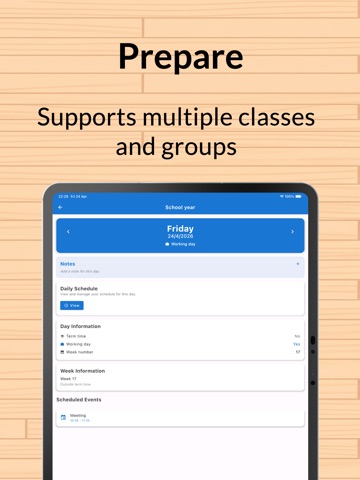
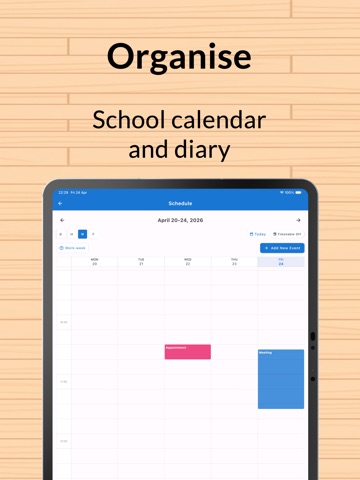
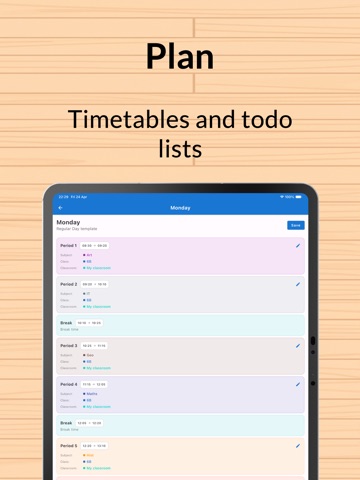
Plan your classroom, timetable and school year in one place. Classroom Planner helps teachers build seating charts, organise students, create weekly timetables and keep daily plans clear—without juggling separate apps. SMART SEATING CHARTS • Design classroom layouts with tables, chairs and custom objects • Record student conflicts and use automatic algorithms to reduce problem pairings • Choose from several seating methods, including balanced and minimum-conflict options • Fine-tune every result with drag and drop • Save different seating plans for different classes and lessons CLASSES AND STUDENT GROUPS • Keep digital class lists with useful student details • Track homework, permission slips, merits or your own custom information • Create balanced groups and random student selections • Add notes for the information you need during the school day TIMETABLES AND DAILY PLANNING • Build colour-coded weekly timetables for subjects, classes and classrooms • Create reusable day structures with periods, breaks and lunch • See teaching commitments by day and week • Keep notes, checklists and to-do reminders together YOUR WHOLE SCHOOL YEAR • Add terms, holidays, bank holidays and training days to a school-year calendar • Connect timetables with classes and classrooms • Map curriculum topics across terms and subjects in a flexible long-term overview SHARE AND PERSONALISE • Export seating plans as PDF or PNG for printing and sharing • Choose colour themes, app icons and home-screen layouts • Adjust accessibility, date and time settings to suit the way you work CLASSROOM PLANNER PRO Upgrade to Pro for unlimited classes, students, seating plans and timetables, advanced classroom objects, export options and more customisation. Download Classroom Planner and spend less time organising tools—and more time teaching. Classroom Planner offers an optional auto-renewing Pro subscription. Payment is charged to your Apple ID account at confirmation of purchase. The subscription renews automatically unless cancelled at least 24 hours before the end of the current period. Manage or cancel it in your App Store account settings. Terms of Use: https://www.apple.com/legal/internet-services/itunes/dev/stdeula/
Latest release
What’s New
We've made some quality of life adjustments - bug fixes and general improvements
Audience growth
Ratings growth
Baseline captured. Growth appears after the crawler observes a changed rating count.
Momentum comes from crawler snapshots for the tracked storefront. “Viral growth signal” means unusually fast recent rating gains; it is an indicator, not download data.
Price tracking
Price intelligence
First snapshot captured. The trend line starts after the next crawler price observation.
- First observed Aug 22, 2026 · 7:53 AM Free
Screenshots