About this app
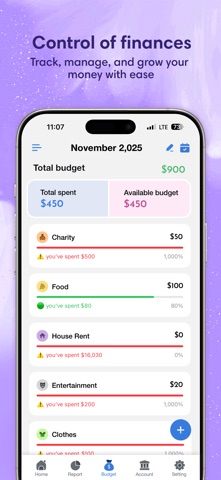
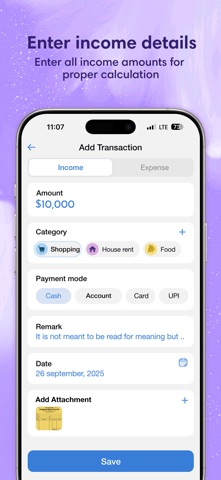
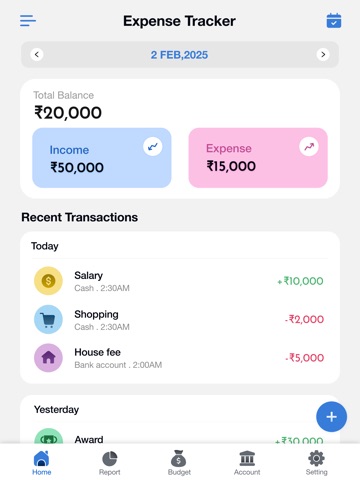
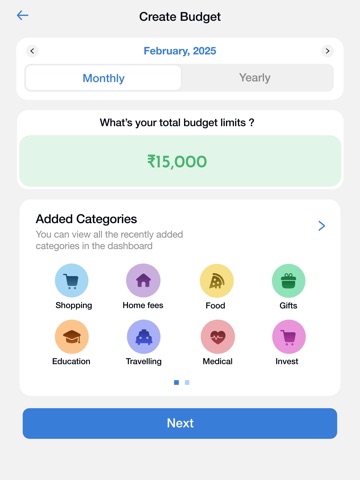
Take control of your finances with the ultimate offline money manager. Expense Tracker & Budget helps you track daily spending, plan monthly budgets, and see exactly where your money goes—without ever connecting to your bank account. 100% Private. No data collection. No internet required. Whether you want to save for a dream vacation, get out of debt, or simply stop wondering where your cash went, this app makes finance management easy. Just add a transaction in seconds and let the app handle the rest. KEY FEATURES: - Visual Spending Reports Understand your financial health at a glance. Our intuitive analysis automatically categorizes your spending into stylish graphs and infographics. See where every dollar goes—Groceries, Transport, Bills, and more. - Smart Budget Planner Set daily, weekly, or monthly budgets. The app will alert you when you are nearing your limit, helping you save money and avoid overspending. - Offline & Secure Your data belongs to you. We do not store your financial records on any server. Everything stays on your device, ensuring total privacy. - Fast & Easy Entry Add income or expenses in just one tap. Designed for speed, so you can log a transaction immediately after making a purchase. - Double-Entry Bookkeeping Manage your assets efficiently. The app automatically updates your account balances (Cash, Bank, Savings) as soon as you input income or expenses, keeping your books perfectly balanced. WHY CHOOSE US? Privacy First: No login required, no bank linking, no data tracking. Custom Categories: Create your own categories to fit your lifestyle. Export Data: Keep a backup of your financial records. Dark Mode: Easy on your eyes, perfect for night-time budgeting. Start your journey to financial freedom today! [Expense Tracker & Budget - Pro] Unlock the full potential of your finance management with Pro. Expense Tracker & Budget - Pro subscription is billed weekly, monthly, or annually at the rate corresponding to the selected plan. Payment will be charged to iTunes Account at confirmation of purchase. Subscription automatically renews unless auto-renew is turned off at least 24-hours before the end of the current period. Account will be charged for renewal within 24-hours prior to the end of the current period. Subscriptions may be managed by the user and auto-renewal may be turned off by going to the user's Account Settings after purchase. Any unused portion of a free trial period, if offered, will be forfeited when the user purchases a subscription. [Terms of Use] https://skyinfotechdeveloper.com/terms_and_condition_ios.html [Privacy Policy] https://skyinfotechdeveloper.com/privacy_policy_ios.html
Latest release
What’s New
• Fixed minor bugs for a smoother experience • Improved app performance and stability
Audience growth
Ratings growth
Baseline captured. Growth appears after the crawler observes a changed rating count.
Momentum comes from crawler snapshots for the tracked storefront. “Viral growth signal” means unusually fast recent rating gains; it is an indicator, not download data.
Price tracking
Price intelligence
First snapshot captured. The trend line starts after the next crawler price observation.
- First observed Sep 5, 2026 · 9:45 AM Free
Screenshots