About this app
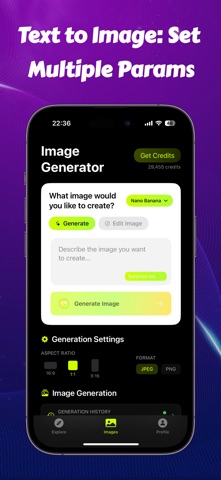
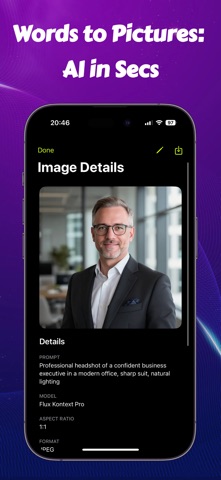
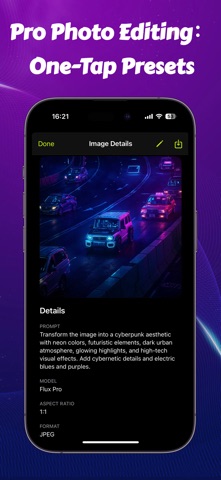
EZRemove AI Photo Editor is a fast and easy AI photo editor for background removal, object erasing, watermark remover, photo cleanup, and transparent PNG cutout creation. Need a clean product photo, a transparent background, or a quick photo fix? EZRemove helps you remove background, erase unwanted objects, remove watermarks from your own images, delete unwanted text, clean up logos, and retouch photos in just a few taps. Whether you are editing product images, profile pictures, social media posts, posters, thumbnails, or everyday photos, EZRemove gives you simple AI-powered tools to make your images look clean, polished, and ready to use. Background Remover Remove background from any photo automatically. Create clean cutout images for products, portraits, stickers, thumbnails, profile photos, and ecommerce images. Watermark Remover Use the AI watermark remover to remove unwanted watermarks, marks, stamps, or overlays from your own photos and images. Clean up pictures, fix visual distractions, and make your images look more natural and professional. Object Eraser Erase unwanted objects from photos with AI. Remove people, clutter, signs, spots, distractions, or anything you do not want in the image. Text & Logo Remover Remove unwanted text, logos, labels, captions, or visual marks from images. Clean up your photo and create a clearer, more polished result. Transparent PNG Maker Export your cutout image as a transparent PNG. Perfect for product photos, online shops, design projects, social media, marketing images, and creative content. Photo Retouch & Cleanup Retouch photos, clean messy backgrounds, fix small image issues, remove distractions, and improve your pictures with simple AI editing tools. AI Image Generator Create new images from text prompts with powerful AI models. Generate creative photos, posters, product visuals, profile images, and social media content. Multiple Aspect Ratios & Formats Choose popular aspect ratios like 1:1, 16:9, and 9:16. Export your edited photo as JPEG or PNG. EZRemove AI Photo Editor is perfect for online sellers, designers, marketers, content creators, students, small businesses, and anyone who needs a simple photo editor. Use EZRemove to remove bg, remove background, remove watermark, erase objects, remove text, clean up logos, create transparent PNG cutouts, retouch photos, fix images, and generate AI photos in seconds. No complicated editing skills are required. Just upload your photo, choose the tool you need, and let AI handle the hard work. Download EZRemove AI Photo Editor and turn messy photos into clean, professional images in seconds. Unlock premium AI tools and advanced features through weekly or yearly subscriptions within the app. Use of this app is governed by Apple’s standard Terms of Use: https://www.apple.com/legal/internet-services/itunes/dev/stdeula/
Latest release
What’s New
• All-new toolkit: 14 one-tap tools for Remove, Retouch, Enhance & Create • Magic Eraser leveled up — wipe objects, text, logos, or every person in the shot • Redesigned home puts your next edit one tap away • Faster, sharper HD upscale for large photos • Smoother first-run guide + stability fixes
Audience growth
Ratings growth
Baseline captured. Growth appears after the crawler observes a changed rating count.
Momentum comes from crawler snapshots for the tracked storefront. “Viral growth signal” means unusually fast recent rating gains; it is an indicator, not download data.
Price tracking
Price intelligence
First snapshot captured. The trend line starts after the next crawler price observation.
- First observed Aug 30, 2026 · 12:54 AM Free
Screenshots