About this app
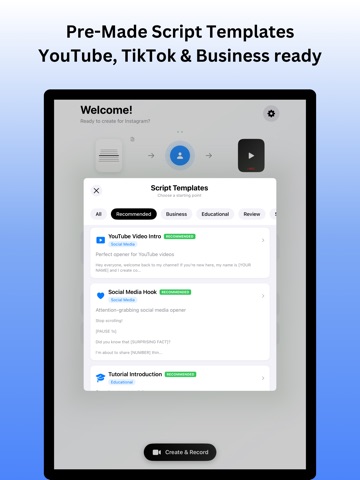
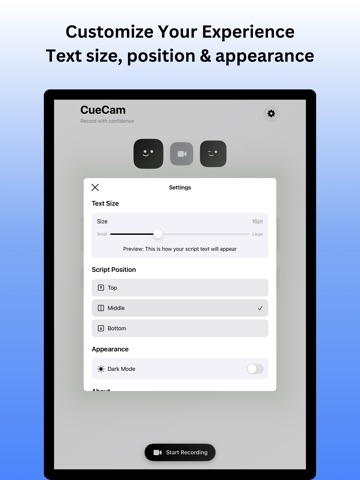
Record Confidently. Speak Naturally. Look Professional. Teleprompter is the easiest way to record videos while reading your script on screen. Whether you’re making content for YouTube, TikTok, Instagram, or presentations, our app helps you stay confident and deliver perfect takes—without ever forgetting your lines. Why Teleprompter? Everyone struggles to remember scripts while recording. With Teleprompter, your script scrolls smoothly on screen as a transparent, readable overlay—so you look directly into the camera while speaking naturally. No more nervous pauses. No more retakes. Just professional videos made simple. Key Features - Front Camera Recording – Record using the front-facing camera while your script is displayed on screen. - Script Manager – Save, edit, and organize unlimited scripts. Select a script before recording or add a new one instantly. - On-Screen Script Overlay – Transparent yet readable scrolling text overlay—appears directly where you need it. - Customizable Text Display – Adjust font size, text color, and script speed for maximum comfort. - Flexible Script Positioning – Choose top, middle, or bottom placement to suit your style. - One-Tap Recording – Start recording instantly with your chosen script. - Save or Re-record – Review your video, save to gallery, or redo until it’s perfect. - High-Quality Output – Record in HD, ready to upload directly to social media. Personalize Your Experience - Change text size & color for easy readability. - Adjust overlay position (top, center, bottom). - Edit and save multiple scripts for different projects. - Perfect for tutorials, vlogs, reels, online courses, speeches, and presentations. Who is Teleprompter for? - Content Creators – Make TikToks, Reels, Shorts & YouTube videos without losing track. - Educators & Trainers – Record online courses and tutorials with scripts in front of you. - Professionals – Deliver business presentations, speeches, or pitches with confidence. - Students – Practice presentations and assignments like a pro. Why You’ll Love It Teleprompter removes the hardest part of video creation—remembering your lines. You’ll sound confident, natural, and polished, every time. Make every video look professional, without expensive gear or complicated setups. Perfect For Social Media Teleprompter helps you create content ready for: - YouTube & Shorts - TikTok - Instagram Reels - LinkedIn & Presentations Start Recording Smarter Stop worrying about forgetting your script. With Teleprompter, you’ll always have your words right in front of you—clear, customizable, and easy to follow. Download now and start creating videos like a pro! *VIDEO RECORDING AND PREMIUM FEATURES REQUIRE A SUBSCRIPTION Terms of Use: https://proteleprompter.netlify.app/terms Privacy Policy: https://proteleprompter.netlify.app/privacy
Latest release
What’s New
- ui fixes
Audience growth
Ratings growth
Baseline captured. Growth appears after the crawler observes a changed rating count.
Momentum comes from crawler snapshots for the tracked storefront. “Viral growth signal” means unusually fast recent rating gains; it is an indicator, not download data.
Price tracking
Price intelligence
First snapshot captured. The trend line starts after the next crawler price observation.
- First observed Aug 26, 2026 · 4:32 AM Free
Screenshots