About this app
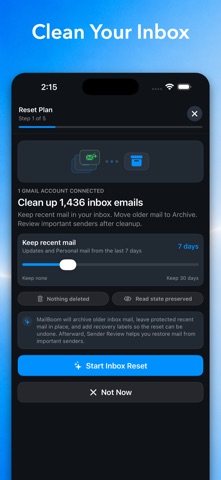
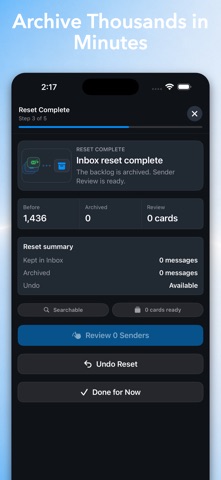
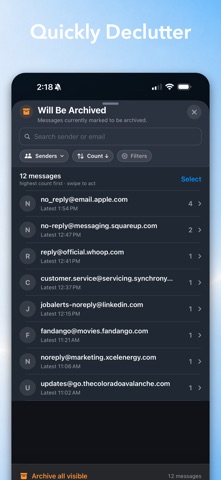
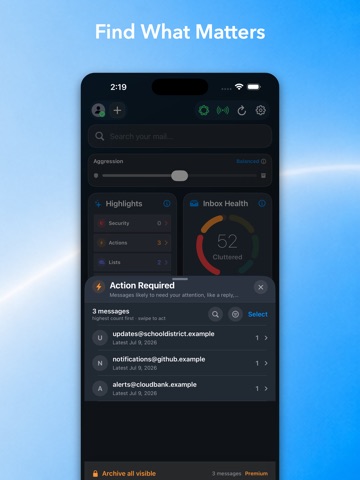
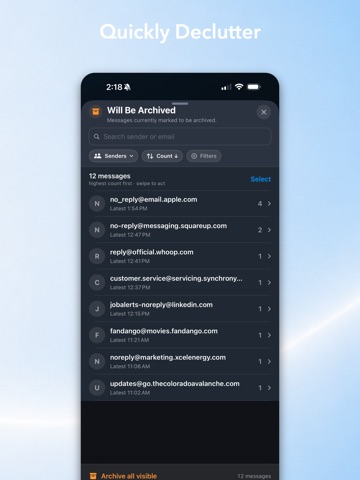
Clean up Gmail in minutes—without permanently deleting your email. MailBoom is a private Gmail inbox cleaner that groups messages by sender, helps you identify what matters, and lets you archive email in bulk. Clear years of inbox clutter while keeping every message searchable in Gmail. CLEAN EMAIL IN BULK See which senders are filling your inbox. Sort them into Keep or Archive, then process thousands of messages in batches instead of handling emails one at a time. NOTHING IS PERMANENTLY DELETED MailBoom safely removes archived messages from your inbox while keeping them available in Gmail. If you change your mind, undo your most recent cleanup and restore messages to your inbox. PRIVATE, ON-DEVICE PROCESSING Your email is processed directly on your device—not uploaded to MailBoom servers. We don’t collect, store, track, or sell your personal data. SMARTER INBOX ORGANIZATION On-device intelligence helps categorize senders, summarize inbox activity, and surface messages that may deserve your attention. Review individual emails whenever you want more context. BUILT FOR LARGE GMAIL INBOXES Whether you have hundreds or more than 100,000 emails, MailBoom helps you: - Group email by sender - Archive messages in bulk - Separate important email from clutter - Configure signals, never miss another important email - Search across senders and messages - Manage multiple Gmail accounts - Reach and maintain Inbox Zero - Keep archived email searchable TAKE BACK YOUR INBOX Stop scrolling through years of newsletters, notifications, promotions, and forgotten messages. MailBoom gives you a faster, safer way to organize Gmail while keeping you in control of every change. MailBoom requires a Gmail account and permission to read messages and manage labels. Changes are applied only when you approve them. AI-generated suggestions may occasionally be incorrect, so review important financial, legal, or deadline-related messages directly in Gmail. MailBoom is an independent application and is not affiliated with, endorsed by, or sponsored by Google LLC. Terms of Use: https://www.apple.com/legal/internet-services/itunes/dev/stdeula/ Privacy Policy: https://mailboom.io/privacy
Latest release
What’s New
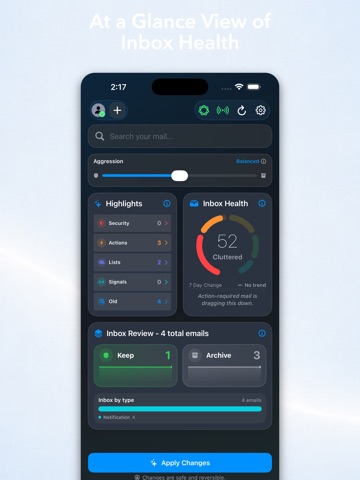
Your inbox is now easier to understand at a glance. This update introduces a redesigned MailBoom experience that helps you quickly see your inbox health, find the email that matters, and move through clutter more efficiently. - A clearer overview of your Gmail inbox - Faster access to important senders and messages - A more focused bulk-cleanup experience - Refined navigation and visual improvements Update now and take the next step toward Inbox Zero.
Audience growth
Ratings growth
Baseline captured. Growth appears after the crawler observes a changed rating count.
Momentum comes from crawler snapshots for the tracked storefront. “Viral growth signal” means unusually fast recent rating gains; it is an indicator, not download data.
Price tracking
Price intelligence
First snapshot captured. The trend line starts after the next crawler price observation.
- First observed Aug 25, 2026 · 12:14 PM Free
Screenshots