About this app
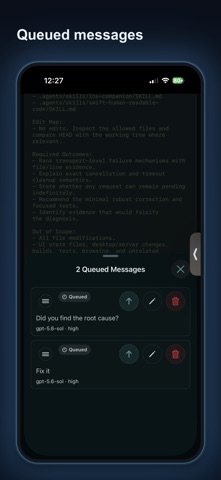
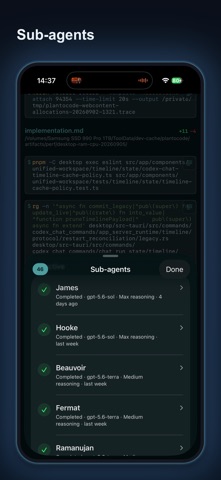
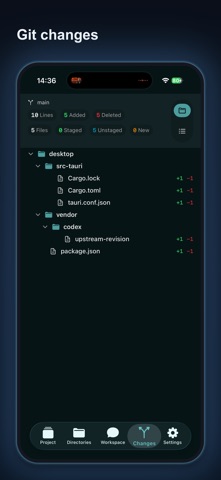
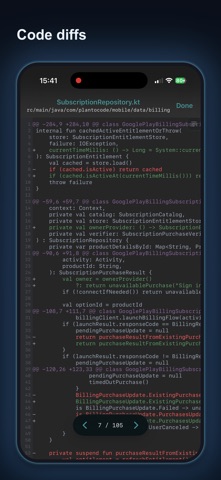
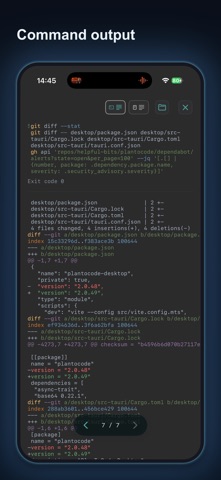
PlanToCode for iOS connects to PlanToCode Desktop so you can work with the same local projects and coding-agent sessions from iPhone, Mac, or Windows. Open PlanToCode Desktop and enable Mobile access. Then add a project, create a session, send instructions, inspect files, and review diffs from iPhone. Continue the same work in either app. PlanToCode uses the OpenAI/Codex account and subscription you connect. Your existing OpenAI/Codex plan supplies coding-agent access; PlanToCode does not bundle or replace it. Use iPhone and desktop to work with the same projects and sessions: - Add a project from a folder on the connected desktop - Create a coding-agent session or open an existing one - Continue workspace chat with text, dictation, queued follow-ups, and completion alerts - Pick model and reasoning settings for supported sessions - Browse project files from the selected desktop - Preview Markdown, Mermaid diagrams, media, files, and git diff details - Review git changes and patch details - Open agent notifications directly into the matching desktop, project, session, and agent chat - See reconnect state when the desktop or network changes How it works: 1. Install and open PlanToCode Desktop from https://plantocode.com/downloads on your Mac or Windows computer. 2. Sign in on desktop and iOS with the same account and region. On desktop, enable Mobile access. 3. Pick the connected desktop in the iOS app. Add or select a project, then create or open a session. 4. Work in either app and continue the same project and session on the other. The desktop runs the agent and owns access to local repositories. The iOS app creates and controls projects and sessions through the authenticated PlanToCode relay. Requirements: - PlanToCode Desktop on your host computer - Internet connectivity for account and device relay Review generated changes and AI output before using them. Terms of Service: https://plantocode.com/terms Privacy Policy: https://plantocode.com/privacy
Latest release
What’s New
View documents and HTML files directly in the app. Improved file previews, voice dictation, and loading of older chat messages. Fixes make session switching, message delivery, and desktop reconnection more reliable.
Audience growth
Ratings growth
Baseline captured. Growth appears after the crawler observes a changed rating count.
Momentum comes from crawler snapshots for the tracked storefront. “Viral growth signal” means unusually fast recent rating gains; it is an indicator, not download data.
Price tracking
Price intelligence
First snapshot captured. The trend line starts after the next crawler price observation.
- First observed Sep 22, 2026 · 5:43 PM Free
Screenshots