About this app
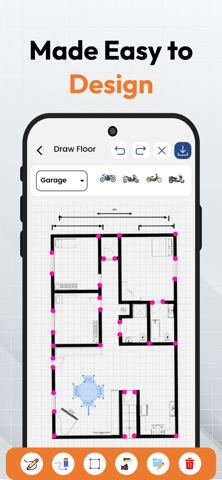
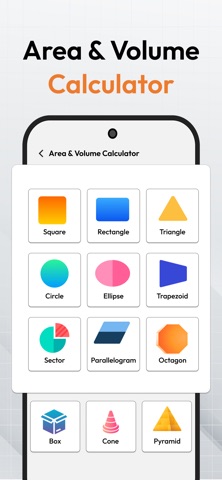
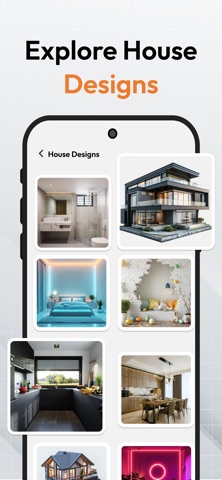
Bring your interior design ideas to life with Draw Floor Plan, the ultimate home planner, floor design, and draw plan app for creating modern 2D and 3D house layouts. With Draw Floor Plan, users can easily design rooms, visualize spaces, and build professional-quality floor design projects using powerful home planner tools and smart 2D/3D planning features. Whether you are working on a house renovation, apartment layout, or office space, Draw Floor Plan home planner helps you create accurate floor design and draw plan models with ease. Plan bedrooms, kitchens, bathrooms, and full building structures using intuitive 2D floor design tools and advanced 3D visualization templates. This smart home planner Draw Floor Plan app allows you to explore furniture placement, interior decoration, and space optimization before actual construction. You can design realistic 3D floor design layouts and convert simple ideas into detailed draw plan blueprints. With professionally designed 2D and 3D templates, Draw Floor Plan makes it simple to create fast and accurate floor design projects. Whether you are an architect, builder, or beginner user, this home planner tool gives everything needed for modern house planning and draw plan creation. Key Features: • Intuitive Room Planner: Create 2D and 3D floor design layouts in Draw Floor Plan with walls, doors, windows, and accurate home planner draw plans easily. • 3D Template Previews: Visualize realistic 3D floor designs and preview draw plan projects with high-quality architectural rendering. • Decor & Furniture Ideas: Plan interior layouts with home planner furniture tools and enhance 2D/3D floor design creativity. • Ready-Made Layouts: Access pre-designed floor design templates for bedrooms, kitchens, bathrooms, and complete home planner draw plans. • Easy Sharing: Share Draw Floor Plan 2D/3D designs and export professional floor design files instantly. • Advanced Drawing Canvas: Use precision tools in Draw Floor Plan for flexible 2D and 3D floor design creation with smooth controls. • Construction Calculators: Use built-in calculators for material estimation, area measurement, and smarter home planner draw plan planning. • Smart Design Tools: Add furniture, doors, and windows to improve 2D/3D floor design and home planner layouts. • Easy Editing & Management: Manage draw plans easily with drag, drop, undo, redo, and fast editing tools. Why Choose Draw Floor Plan? • Simple and powerful floor design and home planner app for fast 2D/3D draw plan creation. • Realistic 3D visualization tools for professional architectural and interior design results. • Huge collection of ready-made floor design templates and home planner layouts. • Smart tools for furniture placement, space optimization, and detailed draw plan building. • Easy export and sharing options for professional 2D and 3D floor design projects. Start building your dream space today with Draw Floor Plan home planner, and create powerful floor design, draw plan, 2D, and 3D architectural layouts in just minutes. Subscription Terms: Payment will be charged to your Apple ID account at confirmation of purchase. Subscriptions automatically renew unless auto-renew is turned off at least 24 hours before the end of the current billing period. Your account will be charged for renewal within 24 hours before the end of the current period. You can manage or cancel your subscription anytime from your App Store account settings. Terms of Use / EULA: https://www.apple.com/legal/internet-services/itunes/dev/stdeula/ Privacy Policy: https://sites.google.com/view/drawflorplan3d/home
Latest release
What’s New
Perfomance Improved Subscprtions added to remove the ads
Audience growth
Ratings growth
Momentum comes from crawler snapshots for the tracked storefront. “Viral growth signal” means unusually fast recent rating gains; it is an indicator, not download data.
Price tracking
Price intelligence
- First observed Aug 24, 2026 · 3:03 AM Free
Screenshots