About this app
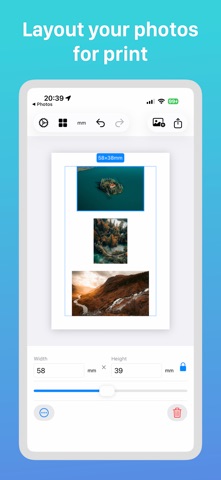
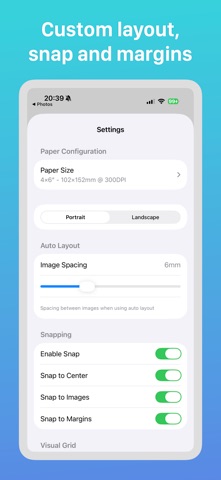
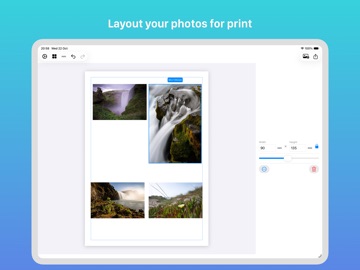
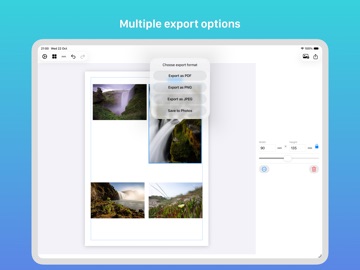
Print Your Photos at the Exact Size You Need Finally, a photo layout app that lets you control the EXACT print size of your photos. Set precise dimensions in millimeters or inches, arrange multiple photos on any paper size, and print with confidence knowing your photos will be exactly the size you specified. Why Print Layout Designer? • EXACT SIZE CONTROL - Set precise photo dimensions in mm or inches • Print photos at specific sizes (4x6", 5x7", passport size, or any custom size) • See real-time measurements as you resize • Perfect for ID photos, visa photos, and professional printing requirements Smart & Intuitive • Smart auto-layout arranges photos automatically • Drag and drop to position photos exactly where you want • Resize with precise millimeter or inch measurements • Visual guides help align photos perfectly • Rotate images in 90-degree increments • Crop or mirror your photos Professional Features • Support for all standard paper sizes (A4, Letter, Legal, and more) • Create custom paper sizes • Portrait or landscape orientation • Lock aspect ratios to prevent distortion • Layer controls to arrange photos front-to-back • Undo/redo for easy editing Flexible Export Options • Export as high-quality PDF for printing • Save as PNG or JPEG • Send directly to Photos app Perfect For: • Printing photos at exact dimensions for documents • Creating ID or passport photos at regulation sizes • Designing custom photo layouts with specific measurements • Preparing photos for professional printing • Making scrapbook pages with precisely sized photos • Creating photo gifts with exact specifications Whether you need to print passport photos at exactly 2x2 inches, create a layout with 4x6" prints, or arrange photos at any specific size you require, Print Layout Designer gives you the precision and control you need. No more guessing if your photos will print at the right size!
Latest release
What’s New
Bug fixes and performance improvements. • Improved toolbar layout on smaller devices • General stability improvements Thank you for using Print Layout Designer!
Audience growth
Ratings growth
Baseline captured. Growth appears after the crawler observes a changed rating count.
Momentum comes from crawler snapshots for the tracked storefront. “Viral growth signal” means unusually fast recent rating gains; it is an indicator, not download data.
Price tracking
Price intelligence
First snapshot captured. The trend line starts after the next crawler price observation.
- First observed Aug 23, 2026 · 1:43 AM Free
Screenshots