About this app
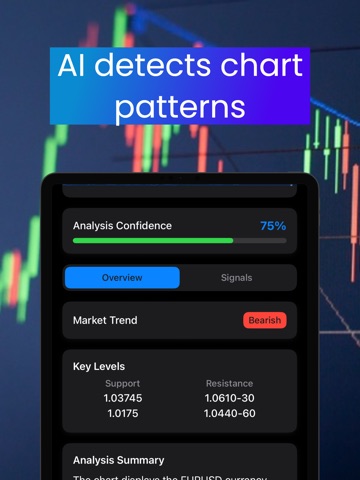
ChartWizardAI – AI Trading Insights From Your Own Charts Navigating today's financial markets can be challenging. ChartWizardAI helps you understand your charts more clearly with AI powered analysis. The app reads your uploaded chart screenshots and highlights trends, patterns and key levels in seconds. This gives you fast and visual insights that support smarter trading decisions. ChartWizardAI works for forex, gold, crypto and indices. You receive simple and easy to understand feedback based on the charts you already use. How It Works Upload or capture a screenshot of any trading chart from MT4, MT5, TradingView or any broker. The AI examines your chart and identifies elements such as trend direction, support and resistance levels, momentum shifts and candlestick behavior. This helps you understand market conditions with more confidence. AI chart analysis requires a subscription. Position Size Calculator (Free) Use the position size calculator to find the correct lot size based on your balance and risk tolerance. The calculator is free for all users with unlimited use. Trading Journal Track your trades with screenshots, notes and strategy tags. Review your setups, measure your performance and build more consistent trading habits. Free users can create up to five journal entries. Unlimited entries are available with a subscription. Performance Dashboards Access visual dashboards that show win rate, risk profile, trading sessions, top symbols and more. All users can view every dashboard. Free users will see insights based on their five journal entries. Pro subscribers can view deeper performance insights that reflect data from unlimited journal entries. Who It Is For • Traders who want fast AI powered chart insights • Forex, gold and crypto traders who want clearer analysis • Technical traders looking for a second perspective • Anyone who wants to track and review their trading performance in one place Why Choose ChartWizardAI • AI insights generated from your own charts • Clean and intuitive design • Works with any broker or charting platform • Journaling and performance tools combined in one app ChartWizardAI helps you bring clarity to the charts you already use. What Is Included The position size calculator is free without any limits. The trading journal includes five free entries for every user. Dashboards are fully accessible and display insights based on your available entries. For unlimited chart analysis, unlimited journal entries and deeper performance insights, you can upgrade to ChartWizardAI Pro through an in-app subscription. Terms and Policies Terms of Use: https://sites.google.com/view/chartwizardai/terms-of-use Privacy Policy: https://sites.google.com/view/chartwizardai/privacy_policy Disclaimer ChartWizardAI is for educational and informational purposes only. It does not provide financial, trading or investment advice. Always perform your own research and consult a licensed financial professional before trading. Trading financial markets involves risk.
Latest release
What’s New
Journaling reminders
Audience growth
Ratings growth
Baseline captured. Growth appears after the crawler observes a changed rating count.
Momentum comes from crawler snapshots for the tracked storefront. “Viral growth signal” means unusually fast recent rating gains; it is an indicator, not download data.
Price tracking
Price intelligence
First snapshot captured. The trend line starts after the next crawler price observation.
- First observed Aug 21, 2026 · 9:03 PM Free
Screenshots