About this app
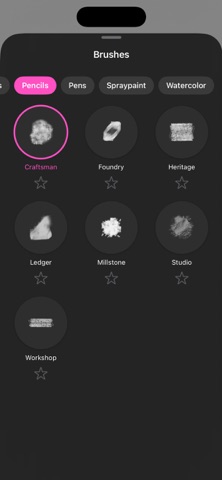
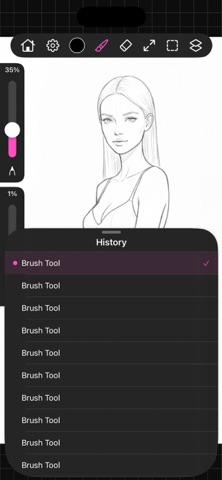
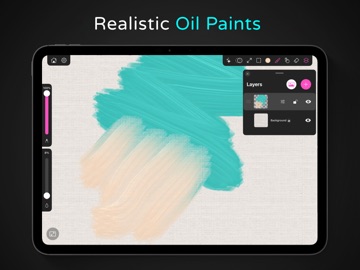
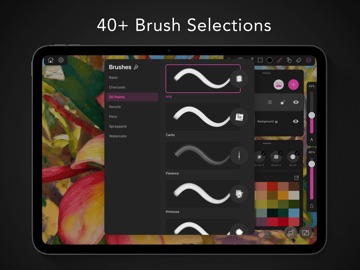
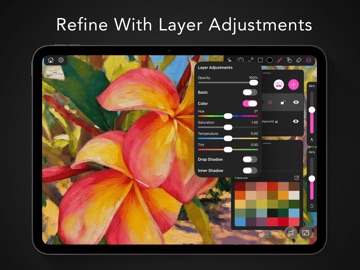
Paintrix Studio is a powerful digital art app built for iPad and Apple Pencil. Create stunning artwork with handcrafted brushes, rich layers, and professional-grade tools. Bring your creative vision to life. Features: Squeeze to Undo - Speed up your workflow. Easily undo by just squeezing the Apple Pencil Pro. No more hunting for buttons or breaking your creative flow. Two finger touch will also undo and three finger touch will redo. 40+ Brushes - Everything from impasto oil paints with realistic texture, to subtle watercolors, expressive charcoals, precise pencils, dynamic pens, and bold spray paints. Each brush can also be used as an eraser. Layers - Work non-destructively with full layer support. Adjust opacity, brightness, contrast, saturation, hue, and temperature per layer. Add drop shadows and inner shadows for depth. Merge, duplicate, lock, and rearrange layers to build complex compositions. Palette - Keep your favorite colors at your fingertips. Build custom palettes, generate harmonious color schemes from reference images, or choose from preset palettes. Store up to 30 colors with brush presets for instant access to your perfect setup. History Panel - Never lose your work. Visual undo history lets you jump back to any previous state with a single tap. See exactly what changed at each step. Drag to Fill - Fill areas instantly by dragging a color, gradient, or material from the toolbar or palette directly onto your canvas. The intelligent flood fill respects edges and tolerance settings for clean results. Clone Tool - Seamlessly duplicate any part of your artwork. Sample a source area, then paint to transfer content. Perfect for fixing mistakes, creating patterns, or extending backgrounds. Gradients - Paint with smooth color transitions using linear, radial, or angular gradients. Customize color stops and angles for unlimited creative possibilities. Materials - Add realistic surface textures to your strokes. Choose from metals like gold, silver, and bronze, natural stones like marble and granite, elegant woods, and stylized effects like halftone patterns. Blur, Pinch & Bubble - Sculpt your artwork with GPU-accelerated distortion tools. Smudge and blur along your stroke direction. Pinch to squeeze pixels inward. Bubble to expand and warp areas outward. Liquid Mode - Transform any layer into a fluid canvas. Push, pull, and swirl your artwork like wet paint. Bake when you're happy, or revert to start fresh. Mirror Mode - Create perfectly symmetrical art effortlessly. Paint once and watch strokes replicate across vertical, horizontal, quadrant, or radial axes. Perfect for mandalas, characters, and decorative designs. Marquee Selection - Isolate parts of your canvas for targeted edits. Paint, fill, blur, or distort only within your selection, leaving the rest untouched. https://paintrix.studio/privacy.html https://paintrix.studio/terms.html
Latest release
What’s New
Improved layer performance Added a tutorial: See the question mark icon in the upper right of the settings menu. Fixed issue with zooming while water sim brush was still drying. Added liquid mode actions to the undo/redo history.
Audience growth
Ratings growth
Baseline captured. Growth appears after the crawler observes a changed rating count.
Momentum comes from crawler snapshots for the tracked storefront. “Viral growth signal” means unusually fast recent rating gains; it is an indicator, not download data.
Price tracking
Price intelligence
First snapshot captured. The trend line starts after the next crawler price observation.
- First observed Sep 5, 2026 · 7:33 PM Free
Screenshots