About this app
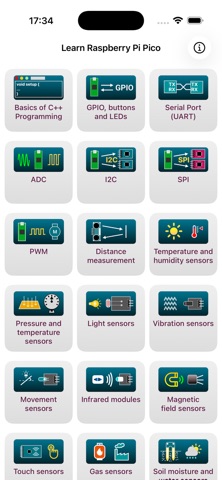
Master Raspberry Pi Pico programming in C++ — from GPIO basics to advanced sensor and module control. Build, code, and control hardware step by step with structured tutorials, clear explanations, and practical examples. Perfect for beginners, hobbyists, and embedded developers exploring the RP2040 microcontroller platform. Available in 8 Languages: • English, French, German, Italian, Polish, Portuguese, Russian, and Spanish - study in your native language! What You’ll Learn: • GPIO — Digital I/O fundamentals, debouncing, and LED control • ADC — Read analog signals from sensors and potentiometers • UART — Send and receive serial data with external devices • I²C & SPI — Connect displays, sensors, and expansion modules • PWM — Control LED brightness and motor speed with precision Explore a wide range of modules and real-world applications: • Distance — Ultrasonic measurement and object detection • Temperature & Humidity — DHT and BME sensor integration • Pressure — Barometric and temperature modules • Light — Ambient and photoresistor sensors • Vibration — Piezo and shock detectors • Movement — Acceleration and tilt sensors • Infrared (IR) — Remote control communication • Magnetic — Hall-effect and magnetic field sensors • Touch — Capacitive touch inputs • Gas — Air-quality and gas detection modules • Water / Soil Moisture — Garden and hydro monitoring • LED / LED Matrices — Single and grid control • LCD / OLED Displays — Text and graphics output • Buttons / Joysticks — Digital input and navigation • Sound Modules — Buzzers and microphones • Motor / Relay — Drive DC motors and control relays • IMU — Accelerometers and gyroscopes • Motion — PIR motion detection • RTC — Real-time clock integration Complete Learning Experience: • 25+ structured chapters from beginner to advanced • Step-by-step C++ examples with detailed explanations • Quick reference guide for pinouts and APIs • 150+ interactive quiz questions Perfect For: • Electronics enthusiasts learning microcontrollers • Students exploring embedded programming with C++ • Makers developing IoT or automation projects • Professionals integrating sensors and hardware in real products Start your Raspberry Pi Pico journey today — learn, build, and master embedded C++ programming like a pro! Disclaimer: Raspberry Pi is a trademark of the Raspberry Pi Foundation. Arduino is a trademark of Arduino AG. This app is not affiliated with or endorsed by either organization.
Latest release
What’s New
Updated content and libraries.
Audience growth
Ratings growth
Baseline captured. Growth appears after the crawler observes a changed rating count.
Momentum comes from crawler snapshots for the tracked storefront. “Viral growth signal” means unusually fast recent rating gains; it is an indicator, not download data.
Price tracking
Price intelligence
First snapshot captured. The trend line starts after the next crawler price observation.
- First observed Aug 21, 2026 · 11:38 AM Free
Screenshots