About this app
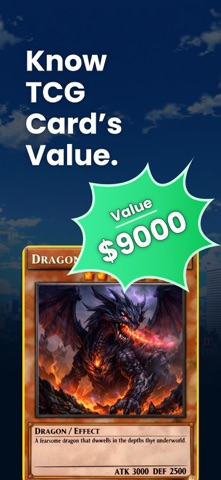
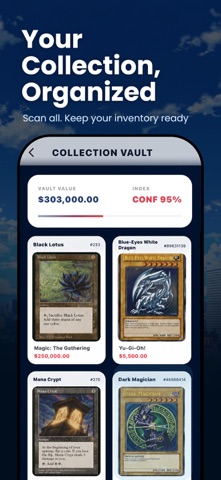
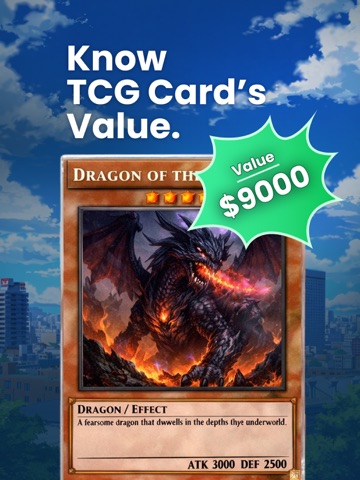
The Ultimate TCG Companion. Scan, Value, and Build Your Deck in Seconds. Your smart companion for scanning, valuing, and organizing trading cards. TCG Guru helps collectors quickly identify physical trading cards, review useful card information, understand estimated value, and manage their collection from one convenient app. Whether you are organizing a personal collection, preparing cards for trading, or checking cards before buying or selling, TCG Guru makes the process faster and easier. KEY FEATURES Scan and Identify Cards Take a clear photo of a trading card to receive identification suggestions and available information such as card name, series, rarity, and other details. Card Value Estimates Review available pricing context and estimated market values to better understand whether a card may be common, collectible, or valuable. Condition Guidance Receive AI-assisted condition suggestions to help you evaluate visible card quality and organize cards more consistently. Digital Collection Save scanned cards, add personal notes, and keep your collection organized in one place. Collection Insights Review your saved cards and keep track of important card information while building your collection. Guides and Collecting Tips Explore helpful information about card condition, rarity, collecting, trading, storage, and value. IMPORTANT INFORMATION Identification, condition, rarity, and value results are estimates based on available visual and market information. Results may vary depending on image quality, card condition, edition, demand, and market activity. TCG Guru is not a certified grading or appraisal service. Users should independently verify important card and pricing information before making purchasing, selling, or trading decisions. TCG Guru is an independent card-management utility and is not affiliated with, endorsed by, or sponsored by any card publisher, game company, grading company, or marketplace. MANAGING SUBSCRIPTIONS You can manage your subscription and turn off automatic renewal from your Apple Account Settings after purchase. Privacy Policy: https://blueberrywebs.com/foilsnap/privacy-policy.php Terms of Use: https://www.apple.com/legal/internet-services/itunes/dev/stdeula/
Latest release
What’s New
Refined the UI for easier scanning and smoother navigation Improved card detail presentation for a better viewing experience Enhanced overall app performance Fixed bugs to improve stability and reliability
Audience growth
Ratings growth
Baseline captured. Growth appears after the crawler observes a changed rating count.
Momentum comes from crawler snapshots for the tracked storefront. “Viral growth signal” means unusually fast recent rating gains; it is an indicator, not download data.
Price tracking
Price intelligence
First snapshot captured. The trend line starts after the next crawler price observation.
- First observed Sep 3, 2026 · 7:11 PM Free
Screenshots