About this app
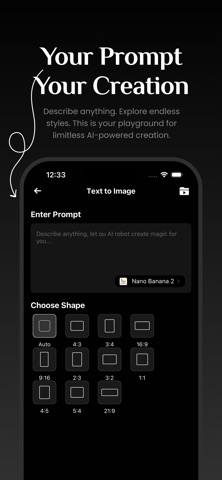
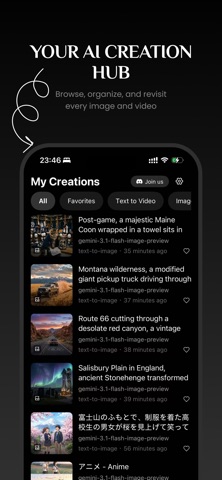
GenAny AI: The All-in-One AI Content Generator GenAny AI is a powerful, unified application designed to harness the world's most advanced Artificial Intelligence models for both image and video creation. It provides a seamless, professional-grade creative suite within a single, intuitive interface. Core Features & Capabilities: Dual-Mode Content Generation: AI Image Generation: Transform text prompts or input images into stunning visuals. Supports both Text-to-Image and Image-to-Image modes. AI Video Generation: Bring ideas to life as dynamic videos. Supports both Text-to-Video and Image-to-Video modes, allowing for video creation from descriptive text or by animating uploaded pictures. Extensive Model Library with Smart Selection: The app's core is its intelligent Model Selector, a dedicated interface that allows users to choose from a vast catalog of over 20 state-of-the-art AI models, categorized and filtered for ease of use. For Images: Access leading models like Nano Banana (Google), GPT-IMAGE-2 . For Videos: Utilize top-tier models including Veo 3.1 (Google) Smart Filtering: Models are automatically filtered and presented based on the selected generation mode (image/video) and sub-type (e.g., text-to-video vs. image-to-video), ensuring only relevant options are shown. Detailed Model Information & Comparison: Each model card in the selector displays key information to help users make informed choices: Model Name & Logo for clear identification. Concise Description of the model's capabilities and strengths. User-Centric Interface & Experience: The Model Selector is presented as a bottom sheet modal, offering a focused, full-screen experience for model selection without leaving the main creation flow. It includes clear titles, a dedicated close button, and prevents accidental closure by containing tap events within the modal container. The design uses a dark theme with clear visual hierarchy, making it easy to scan and select from a potentially long list of models.
Latest release
What’s New
Optimized the running speed.
Audience growth
Ratings growth
Baseline captured. Growth appears after the crawler observes a changed rating count.
Momentum comes from crawler snapshots for the tracked storefront. “Viral growth signal” means unusually fast recent rating gains; it is an indicator, not download data.
Price tracking
Price intelligence
First snapshot captured. The trend line starts after the next crawler price observation.
- First observed Sep 7, 2026 · 10:43 AM Free
Screenshots