About this app
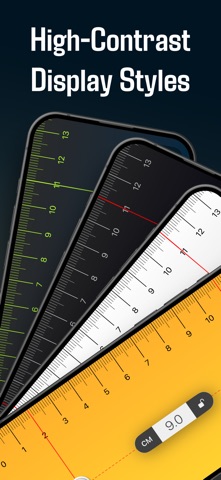
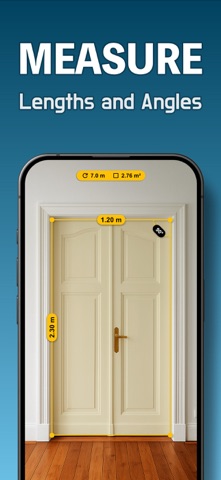
Measure anything in seconds – on screen or with the AR camera. Ruler & Tape Measure is the most accurate measuring tool for iPhone and iPad. Place any object on your screen, or point your camera and measure in augmented reality. No calibration needed – ever. ◉ SCREEN RULER – Pixel-Perfect Precision Place any object on your screen and get an instant, accurate measurement. The ruler automatically adapts to your exact device model and display resolution. ◉ AR CAMERA MEASUREMENT Point your camera at any real-world object and measure its dimensions using augmented reality. Perfect for furniture, frames, packages, and DIY projects – no contact needed. ◉ SCROLL BEYOND YOUR SCREEN Measure objects longer than your device. Scroll the ruler to extend measurements far beyond your screen's physical size. ◉ ALL UNITS COVERED Switch instantly between centimeters (cm), millimeters (mm), and inches (in). Works for every task, from crafts to construction. ◉ SHARE YOUR RESULTS Copy your measurement as text or save it as a screenshot. Share via message, email, or notes in seconds. Measurement units: cm · mm · in Terms of use (EULA): https://www.apple.com/legal/internet-services/itunes/dev/stdeula/
Latest release
What’s New
We've added a practical new feature to help you use your measurements more quickly and intuitively. - Copy measurement as text – Share your results instantly via message, email, or notes. - Save measurement as a screenshot – Automatically capture a visual record of your measurement, perfect for documentation or follow-ups. Designed to save time and simplify your workflow.
Audience growth
Ratings growth
Baseline captured. Growth appears after the crawler observes a changed rating count.
Momentum comes from crawler snapshots for the tracked storefront. “Viral growth signal” means unusually fast recent rating gains; it is an indicator, not download data.
Price tracking
Price intelligence
- First observed Aug 26, 2026 · 11:52 PM Free
Screenshots