About this app
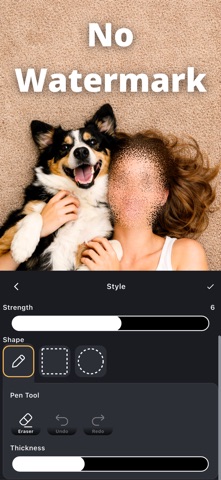
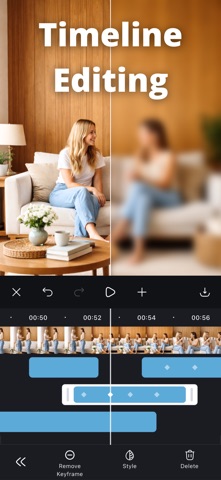
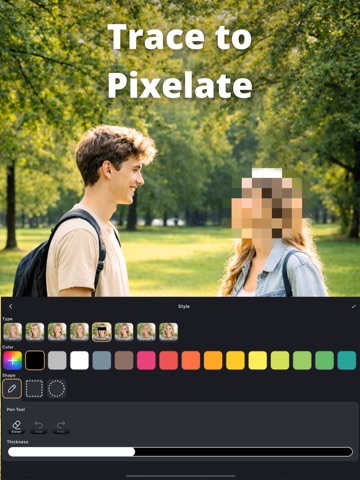
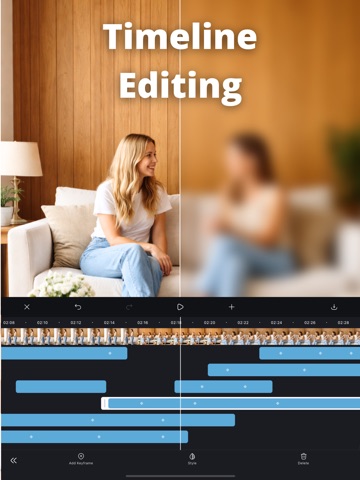
Easy video blur and pixelation—draw to edit with timeline & keyframes. Hide faces, license plates, and other private details naturally, then share with confidence. Edit only what you want Trace with your finger for freehand edits, or select areas using rectangle, circle, and freehand shapes. Quick, intuitive controls let you cover exactly what you need in seconds. Timeline controls for moving subjects Use the timeline to adjust effect timing precisely. With keyframes, fine-tune the position as your subject moves—great for faces and cars. No watermark. Export and share instantly Save videos with no watermark. After exporting, share right away to your favorite apps. You can also save the current frame as an image. Perfect for • Blurring faces before posting to social media • Hiding license plates in dashcam videos • Protecting privacy (kids, bystanders, addresses, personal details) • Fast edits when you still want fine control for moving subjects Key features • Easily blur or pixelate faces, license plates, and privacy-sensitive areas • Finger-draw freehand editing • Rectangle, circle, and freehand area selection • Timeline control to adjust effect duration • Keyframes to fine-tune position with motion • Multiple blur and pixelation effects • No watermark • Undo/redo for quick fixes • Restore your edit session and continue later • Export video and save the current frame as an image • Share immediately after saving
Latest release
What’s New
Minor fixes.
Audience growth
Ratings growth
Baseline captured. Growth appears after the crawler observes a changed rating count.
Momentum comes from crawler snapshots for the tracked storefront. “Viral growth signal” means unusually fast recent rating gains; it is an indicator, not download data.
Price tracking
Price intelligence
First snapshot captured. The trend line starts after the next crawler price observation.
- First observed Sep 7, 2026 · 8:36 AM Free
Screenshots