About this app
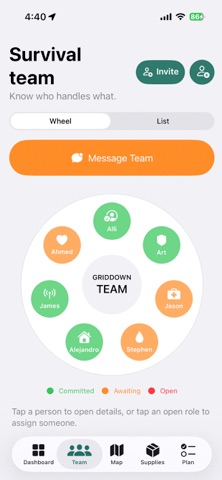
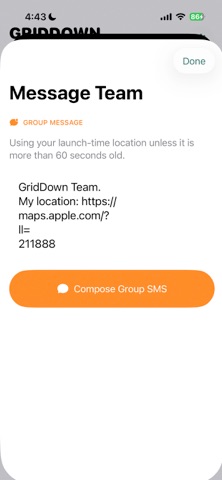
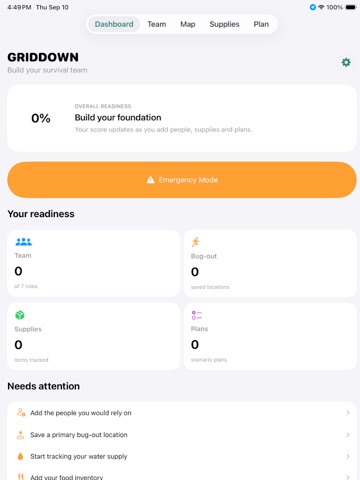
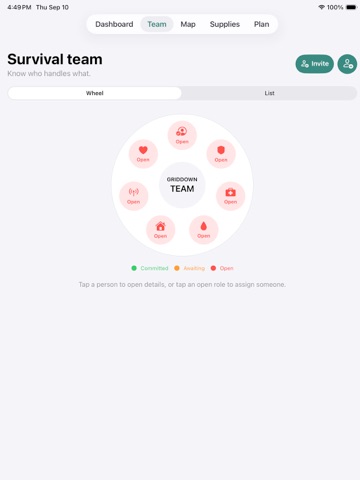
GridDown is your personal emergency preparedness and survival planning app. Build your survival team, organize essential supplies, save bug-out locations, create emergency plans, and know exactly where to go when normal systems are unavailable. BUILD YOUR SURVIVAL TEAM Create your trusted emergency network and assign members to important roles including Leadership, Security, Medical, Food & Water, Shelter, Communications, and Morale. Add skills, contact information, notes, photos, and saved locations for each member. PLAN YOUR BUG-OUT LOCATIONS Save multiple bug-out destinations, rally points, supply locations, and other important places. Choose your primary destination and use Apple Maps to view locations and navigate when needed. TRACK FOOD & WATER Build an inventory of emergency food, water, and long-term storage items. Organize quantities, expiration dates, storage locations, and preparedness goals. ORGANIZE YOUR SUPPLIES Track medical supplies, power equipment, lighting, communications gear, tools, fuel, clothing, hygiene products, vehicle equipment, and other essentials. BUILD GO BAGS Create individual emergency bags for yourself, family members, vehicles, or specialized purposes. Use checklists to quickly see what is ready and what is missing. CREATE EMERGENCY PLANS Prepare plans for power outages, severe storms, evacuations, extended grid failures, communication outages, and other emergencies. Create rally points, assign responsibilities, and organize the actions your team should take. SEE YOUR READINESS GridDown brings your preparedness information together into a simple dashboard so you can quickly identify missing team roles, supplies, locations, and planning tasks. MAP YOUR PLAN View team member locations, bug-out destinations, rally points, medical locations, supply caches, and other important places using Apple Maps. OFFLINE-FIRST & PRIVATE Emergency information shouldn't depend on an internet connection or an online account. GridDown is designed around locally stored preparedness information so your essential plans remain available on your device. Whether you're preparing for a storm, extended power outage, evacuation, natural disaster, or simply want your family better organized, GridDown gives you one place to build your plan before you need it. Know your people. Know your supplies. Know where you're going. Be ready with GridDown.
Latest release
What’s New
• Completely redesigned modern UI and navigation • New preparedness dashboard and readiness tracking • Added Apple Maps integration • Save and manage multiple bug-out locations • Add rally points and important emergency locations • Map saved locations for survival team members • Expanded Survival Wheel and team member profiles • Track food, water, medical gear, and emergency supplies • New long-term food storage planning tools • Create and manage Go Bag checklists • Build emergency and evacuation plans • Added communications and vehicle preparedness tools • Improved offline access to critical preparedness information • New backup, export, and sharing options • Improved dark mode, accessibility, and overall performance
Audience growth
Ratings growth
Baseline captured. Growth appears after the crawler observes a changed rating count.
Momentum comes from crawler snapshots for the tracked storefront. “Viral growth signal” means unusually fast recent rating gains; it is an indicator, not download data.
Price tracking
Price intelligence
First snapshot captured. The trend line starts after the next crawler price observation.
- First observed Sep 15, 2026 · 11:53 PM Free
Screenshots