About this app
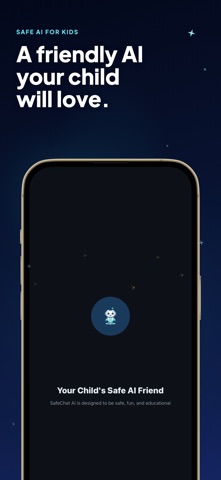
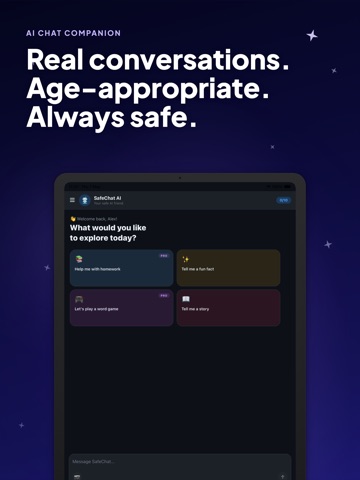
SafeChat AI is a kid-friendly AI chat app for children ages 6-13. It gives kids a simple, age-appropriate place to ask questions, learn new things, explore ideas, and enjoy educational conversations with an AI assistant designed for younger users. Whether your child wants homework help, fun facts, stories, or word games, SafeChat AI helps turn everyday screen time into a more guided learning experience. Built for children and supported by parent controls, SafeChat AI focuses on safe AI chat, educational discovery, and age-appropriate conversations. Kids can explore topics like math, science, history, reading, language arts, space, dinosaurs, animals, nature, and creative storytelling in a chat experience designed to feel friendly, simple, and easy to use. SafeChat AI adapts the experience based on your child’s age group. Younger kids can receive shorter, simpler responses with a playful tone, while older children can get more detailed explanations that support learning, curiosity, vocabulary growth, and critical thinking. This makes SafeChat AI useful as a learning app for kids, a homework helper, a children’s educational app, and a parent-supported AI assistant for everyday questions. Kids can use SafeChat AI to: Ask questions about school subjects Get help understanding basic concepts Discover fun facts about animals, space, nature, and history Practice reading and vocabulary through word games Enjoy creative stories and imaginative prompts Explore new topics through guided conversation Build confidence asking questions in a child-friendly environment SafeChat AI is designed to support a more protected chat experience for kids. The app uses safety-focused systems intended to reduce inappropriate responses and discourage the sharing of sensitive personal information. Conversations are designed to stay age-appropriate and more aligned with what children and families expect from a kids AI app. Parents can manage the experience through a protected parent area with helpful controls and visibility. Parent features include tools to: Set daily screen time limits Choose which topic categories are available Review activity summaries Access chat history Manage safety-related settings Support healthy, guided app use at home This makes SafeChat AI useful not only for kids, but also for parents looking for a child-safe AI chat app with parental controls, screen time tools, and family-friendly learning features. The goal is to give children a place where curiosity, creativity, and learning can happen in a more structured and supervised way. The app interface is designed for children, with large buttons, clear navigation, friendly visuals, and a welcoming AI companion named Sparky. Kids can start chatting quickly and explore educational topics in a format that feels approachable and fun. The experience is built to reduce friction for families while keeping the focus on learning, exploration, and ease of use. SafeChat AI can support many everyday use cases, including: Homework help for kids Learning support for elementary and middle school topics Safe question answering for children Educational chat for kids AI stories for kids Word games and vocabulary practice Curiosity-driven learning at home Parent-guided screen time activities An optional SafeChat AI Pro subscription is available for families who want expanded access, including additional usage, broader topic access, full chat history, and more detailed parent insights. SafeChat AI is designed with child-friendly communication, family awareness, and educational value in mind. Instead of passive scrolling, kids can actively ask questions, explore ideas, and learn through conversation. It is a simple way to support curiosity, reading, language development, general knowledge, and safe digital exploration in one app. Term of Use https://www.apple.com/legal/internet-services/itunes/dev/stdeula/ Privacy Policy https://coddykit.com/terms/privacy-policy
Latest release
What’s New
Sparky is steadier and prettier this time. • Fixed a crash that could close the app when you tapped a starter prompt or sent a message. • Voice input is more reliable on newer iPhones. • The area around the keyboard now follows the app theme instead of flashing white. • Smoother onboarding and small polish across chat.
Audience growth
Ratings growth
Momentum comes from crawler snapshots for the tracked storefront. “Viral growth signal” means unusually fast recent rating gains; it is an indicator, not download data.
Price tracking
Price intelligence
- First observed Aug 1, 2026 · 1:27 PM Free
Screenshots