About this app
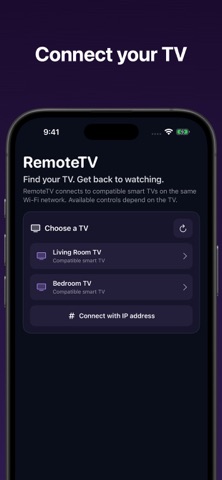
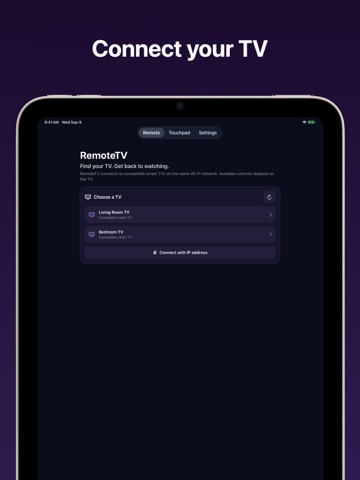
Use your iPhone or iPad as a remote for compatible smart TVs. Connect your phone and TV to the same Wi-Fi network, find your TV, and pair when prompted. Features: - Automatic discovery of compatible TVs on your local network - Support for multiple compatible smart TV and streaming-player control systems - Power, input, Home, Back, directional, playback, mute, and volume controls when available - Swipe-and-tap touchpad navigation on supported TVs - Keyboard input on supported TV text fields - Saved TVs for faster switching - Manual IP connection when discovery is unavailable - Clear pairing, compatibility, and troubleshooting guidance Quick access to installed TV apps and channels is available when supported by the connected TV. Compatibility varies by TV model, model year, region, firmware, and enabled network settings. RemoteTV checks the controls exposed by the connected TV and disables unavailable controls instead of pretending they work. Your iPhone or iPad and TV must be on the same Wi-Fi network. Some TVs display a pairing request the first time you connect. Find, pair, and connect to your compatible TV before subscribing. After any free preview: An active monthly or annual subscription is required to send remote commands, use the touchpad or keyboard, or open TV channels. The annual plan offers a discounted first month for eligible new subscribers, then renews yearly. The monthly plan has no introductory offer and renews monthly at the standard price. The App Store confirms your localized price and annual offer eligibility before purchase. One introductory offer is available per subscription group. Existing subscribers retain their access and subscription terms. Terms of Use: https://renaissanceapps.com/terms-conditions Privacy Policy: https://renaissanceapps.com/privacy-policy RemoteTV is an independent app and is not affiliated with, endorsed by, or sponsored by any TV manufacturer.
Latest release
What’s New
Bug fixes and performance updates
Audience growth
Ratings growth
Baseline captured. Growth appears after the crawler observes a changed rating count.
Momentum comes from crawler snapshots for the tracked storefront. “Viral growth signal” means unusually fast recent rating gains; it is an indicator, not download data.
Price tracking
Price intelligence
- First observed Aug 15, 2026 · 2:53 AM Free
Screenshots