About this app
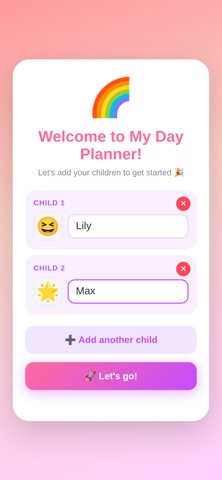
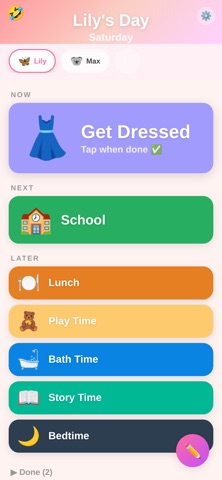
My Day Planner helps young children follow their daily routine with a simple, colourful visual schedule. Designed for Kids Big emoji icons and bright colours make it easy for pre-readers to understand what's happening now, what's next, and what's coming later. Children tap to mark activities as done — building independence and reducing daily battles over routines. Multiple Children Set up schedules for each of your children with their own emoji avatar and colour theme. Switch between kids with a tap. Simple for Parents Build the day from 30+ pre-made activities (breakfast, school, bath time, bedtime...) or create your own custom activities. Drag to reorder. Done in seconds. Features • NOW / NEXT / LATER view that kids can follow independently • 30+ built-in activities with fun emoji icons • Custom activities — create and reuse your own • Multiple children with independent schedules • 6 colour themes — let each child pick their favourite • Drag-to-reorder in edit mode • Tap to mark done • Hidden joke box — kids love finding the easter egg! • Works offline — no internet needed • No ads, no tracking, no accounts
Audience growth
Ratings growth
Baseline captured. Growth appears after the crawler observes a changed rating count.
Momentum comes from crawler snapshots for the tracked storefront. “Viral growth signal” means unusually fast recent rating gains; it is an indicator, not download data.
Price tracking
Price intelligence
First snapshot captured. The trend line starts after the next crawler price observation.
- First observed Aug 22, 2026 · 4:36 AM Free
Screenshots