About this app
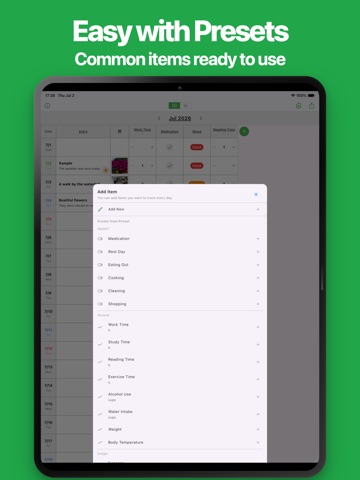
This app lets you easily record daily notes and habits in a table format. You can freely track a wide range of daily information, such as mood, health, medication, drinks, study, workouts, expenses, and more. It can be used not only for personal daily records, but also for business situations where daily tracking is required, such as work reports, work hours, sales, response counts, and business notes. Daily records make it easier to look back and notice changes in your lifestyle and habits. At work, keeping daily records of tasks and numbers can also help with progress checks, reviews, and creating reports. However, detailed tracking can become time-consuming and hard to continue. With this app, you can quickly enter daily records in a table organized by date. You can freely add the items you want to track, and commonly used items can be added easily from presets. Common use cases include: ・Recording daily mood and health ・Tracking medication, drinks, and lifestyle habits ・Tracking study time and reading time ・Recording workout time and walking time ・Tracking work hours and busyness ・Recording expenses and income ・Keeping daily notes for eating out, cooking, cleaning, and shopping ・Simple health notes such as weight, temperature, and blood pressure ・Daily work reports and work records ・Daily checks for shops, workplaces, and field operations ・Daily records such as sales, visitors, and response counts ・Sales activity notes and customer support notes ・Project and team progress notes ・Daily reflections and life logs ・Creating your own personal tracking table This app can be used for a wide range of daily notes, habit tracking, and business daily records. If you want to keep daily records without making it difficult, please give it a try. ■ Features ・Easy table-based tracking You can view your records by date in a table. It is easy to compare daily entries, enter data, and look back later. ・Flexible custom items You can freely add the items you want to track, such as mood, health, study, workouts, drinks, expenses, work hours, sales, and response counts. ・Multiple input types The app supports input types such as On/Off, labels, integers, and decimals, so you can record each item in a suitable format. ・Preset items Commonly used items can be added from presets. You can start tracking right away without setting everything up from scratch. ・Additional daily details You can also keep related information such as titles, notes, weather, priority, and links. ・Review with graphs You can check recorded numbers with graphs. Changes in study time, workout time, drinks, expenses, work hours, sales, and more can be understood at a glance. ・Export and share You can export your records as Excel, PDF, and other formats. This is useful for saving, sharing, using data on a PC, and creating business reports. ・Import You can import exported data and edit it again anytime. ・No account required No registration is required. You can start using the app immediately after installing it. ・Dark theme support Dark theme is supported, making it comfortable to use at night or in dark places.
Audience growth
Ratings growth
Baseline captured. Growth appears after the crawler observes a changed rating count.
Momentum comes from crawler snapshots for the tracked storefront. “Viral growth signal” means unusually fast recent rating gains; it is an indicator, not download data.
Price tracking
Price intelligence
First snapshot captured. The trend line starts after the next crawler price observation.
- First observed Sep 13, 2026 · 4:54 AM Free
Screenshots