About this app
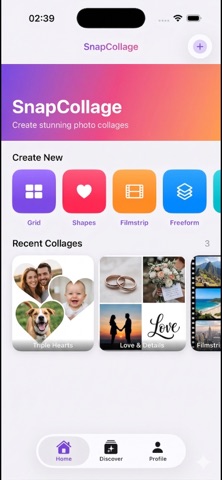
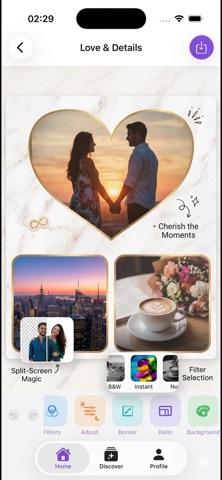
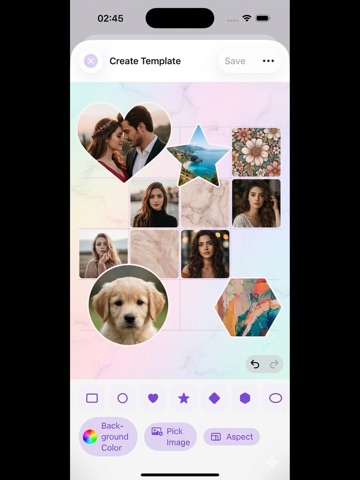
Turn phone photos into collages that actually look like yours, in seconds, without handing them to the cloud. SnapCollage is the fast, private collage maker. Everything runs on your iPhone or iPad. Your photos never leave the device. WHY PEOPLE CHOOSE IT · No sign-up, no account, no tracking · No watermark on free exports · Works fully offline, even in airplane mode · No ads, ever INSIDE THE APP · 200+ templates: grids, magazine, story, film strip, scrapbook · Magic Layout: drop in 3 to 9 photos and get an instant composition · Motion collages: short videos for Reels, TikTok and Stories · Subject cutout to remove backgrounds in a tap, powered by on-device Vision · Stickers, fonts, frames, filters, gradients and brush · Brand Kit: save your colors, fonts and logo in one place · Custom sticker studio to turn any photo into a reusable sticker · PDF and PNG export with transparent background · Carousel slicer for Instagram, multi-page PDF for print · Face ID or passcode project lock WHO IT'S FOR · Makers of Stories, Reels and Shorts · Scrapbookers and memory keepers · Small business owners building mood boards and social posts · Parents, couples and travellers who want a nice shared memory SNAPCOLLAGE+ (OPTIONAL) Unlock Magic Layout, premium template packs, all stickers and fonts, 4K motion exports and multi-page PDF. Weekly or yearly, pick what suits you. No ads in either plan, and you can cancel anytime from your Apple ID settings. NEW IN 2.0 · 19 languages · Redesigned editor and faster export · Smarter Magic Layout · Daily Challenge with streaks · Brand Kit, custom stickers, on-device background removal Built for people who want beautiful collages fast, on their own device, without signing away their photos to anyone. Terms of Use: https://www.apple.com/legal/internet-services/itunes/dev/stdeula/ Privacy Policy: https://alpdigital.io/snapcollage/privacy.html
Latest release
What’s New
Version 2.0 is a full refresh. · 19 languages: English, Turkish, German, French, Spanish, Italian, Portuguese, Dutch, Danish, Swedish, Norwegian, Finnish, Polish, Russian, Japanese, Korean, Simplified and Traditional Chinese, Arabic. · Magic Layout auto-composition for 3 to 9 photos. · Subject cutout (background remove) runs fully on-device. · Brand Kit for reusable colors, fonts and logo. · Custom sticker studio: turn any photo into a sticker. · Redesigned editor, faster exports, new template packs. · Face ID or passcode project lock. · Carousel slicer for Instagram, multi-page PDF, motion collage video exports. · Daily Challenge and streaks for the ones who want to keep the habit. · Hundreds of fixes and polish based on your feedback. Thanks for creating with SnapCollage. Tell us what you want next. Rate the app or send notes from Profile, Help.
Audience growth
Ratings growth
Baseline captured. Growth appears after the crawler observes a changed rating count.
Momentum comes from crawler snapshots for the tracked storefront. “Viral growth signal” means unusually fast recent rating gains; it is an indicator, not download data.
Price tracking
Price intelligence
First snapshot captured. The trend line starts after the next crawler price observation.
- First observed Sep 4, 2026 · 1:02 PM Free
Screenshots